

How to Use AI to Summarize Long Documents in Minutes
A 200-page report that once took an hour of skimming can now be reduced to a clean, structured summary in about 30 to 60 seconds. That is not a marketing claim. It is what current AI document tools are built to do, and it is reshaping how professionals read contracts, research papers, and internal reports. If you still print out long PDFs and highlight them by hand, you are spending time that AI can now save you.
This guide explains how to use AI to summarize long documents in minutes, which tools fit which situations, and where the technology still needs a human check. The goal is practical guidance you can use today, not a list of features you will never touch.
Key Takeaways
- More than half of professionals already use AI to summarize documents, making it one of the most common AI workflows in everyday work.
- Leading tools can process PDFs over 200 pages and return a structured summary with headings and bullets in under a minute.
- The best approach is usually to summarize inside the document tool itself rather than exporting text to a separate chat app, because it keeps the summary linked to the original pages.
- Free tiers come with real limits, daily question quotas, file caps, and page limits, so check these before relying on a tool for high-volume work.
- AI summaries can miss nuance or misstate details, so verifying key facts against the source document is still a necessary step, not an optional one.
Why AI Document Summarization Has Become Standard Practice
Document summarization is no longer a novelty feature buried in a settings menu. Industry research from Adobe’s 2026 “State of AI in Documents” report found that 51 percent of professionals already use AI to summarize documents, and 43 percent use AI to search within them. That puts summarization ahead of most other AI document tasks, including drafting and translation.
What changed is speed and structure. A few years ago, AI summaries were often a single dense paragraph that lost most of the useful detail. Current tools instead return organized output: section headings, bullet points, and in many cases, direct links back to the page where a claim originated. A September 2026 comparative review of PDF summarizer tools found that products ingesting files over 200 pages could return a structured summary in roughly 30 to 60 seconds, work that previously required an hour of manual skimming.
This matters for everyday work beyond convenience. Faster summarization means you can triage more documents, decide which ones deserve a full read, and spend your attention on judgment calls instead of page-turning. For a deeper look at preserving accuracy while compressing length, see the companion piece on how to summarize long documents with AI without losing key details.
A Step-by-Step Process for How to Use AI to Summarize Long Documents in Minutes
The exact buttons vary by tool, but the underlying workflow for how to use AI to summarize long documents in minutes is consistent across most current products.
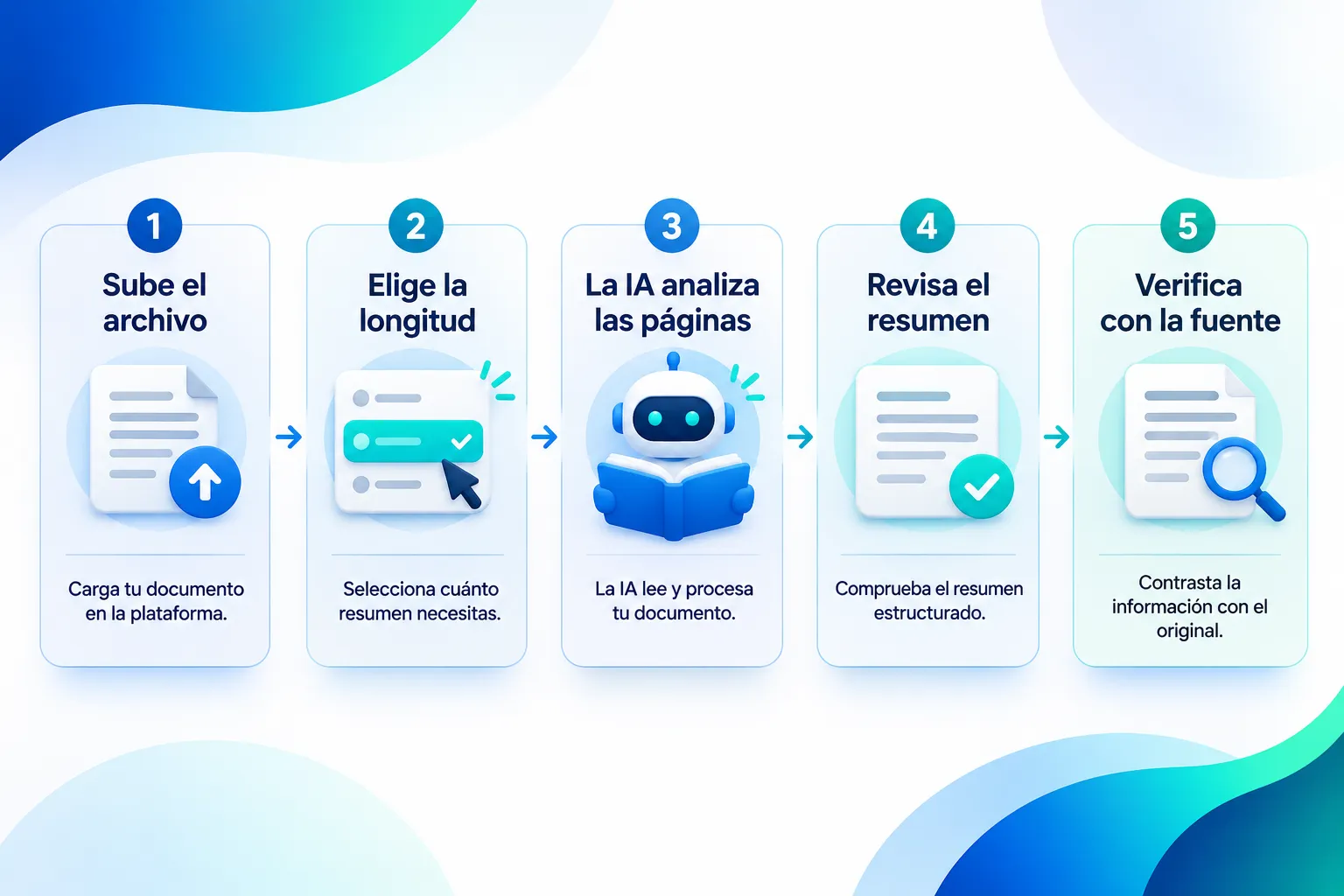
- Upload the document directly into an AI-enabled tool. Adobe’s own guidance recommends summarizing inside the PDF tool itself rather than exporting the text into a separate chat app. Doing this keeps the summary linked to the source file, so you can jump back to the exact page a sentence came from.
- Choose a summary format or length. Most tools let you pick between a short executive summary, a bullet-point breakdown, or a longer structured outline with section headings.
- Let the AI scan and process the document. For most modern tools, this takes seconds to about a minute, even for files running past 200 pages.
- Review the structured output. Look for headings, bullets, and any inline citations or page references the tool provides.
- Verify key facts against the original text. Click through on cited pages or search the source manually for numbers, dates, and quotes that matter for your decision.
That last step is not optional busywork. AI tools occasionally state something with full confidence that is not actually in the source document, a problem explained in more detail in the article on AI hallucinations and how to catch them. Treat any AI summary as a strong first draft, not a final answer.
Which Tools Fit Which Use Case
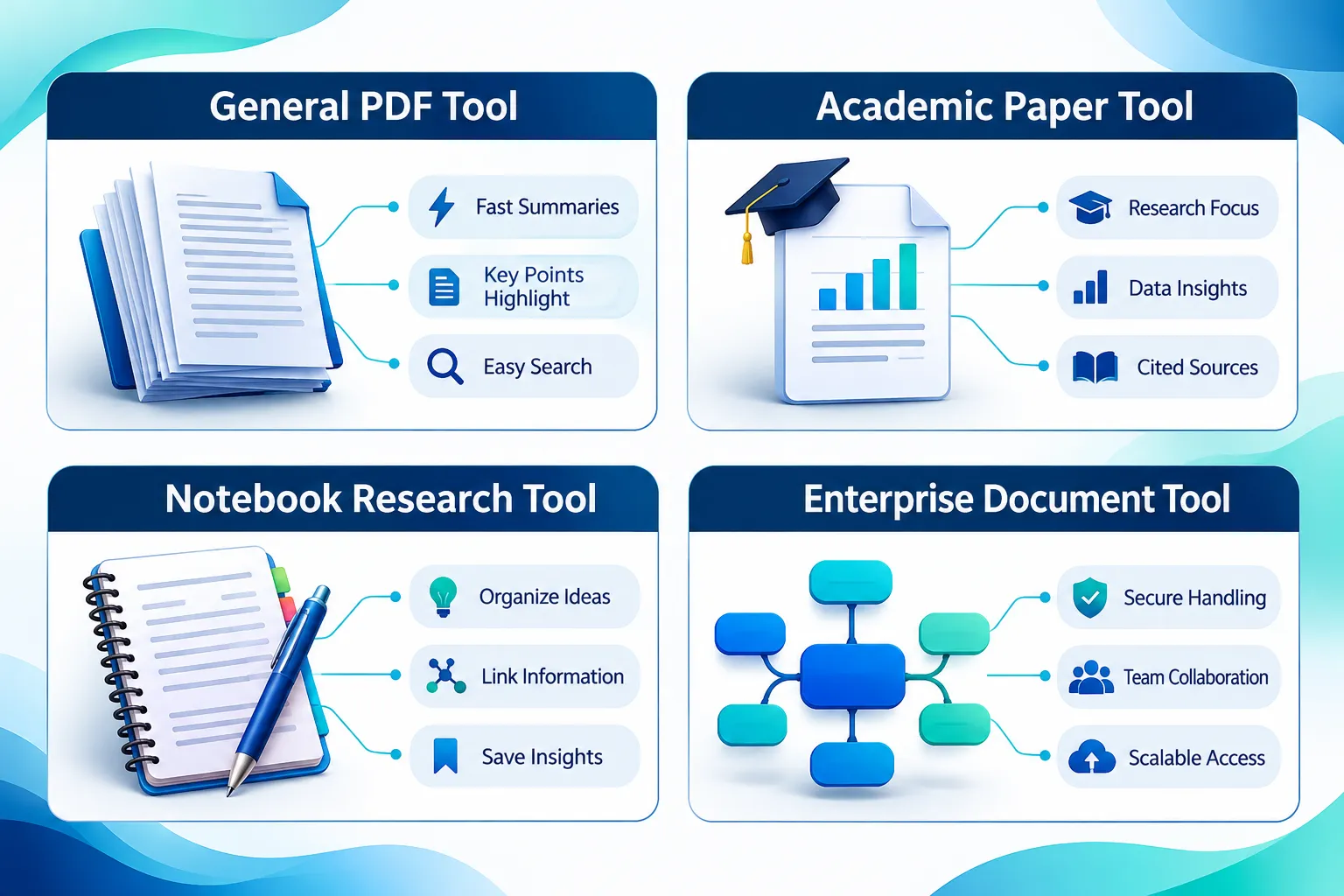
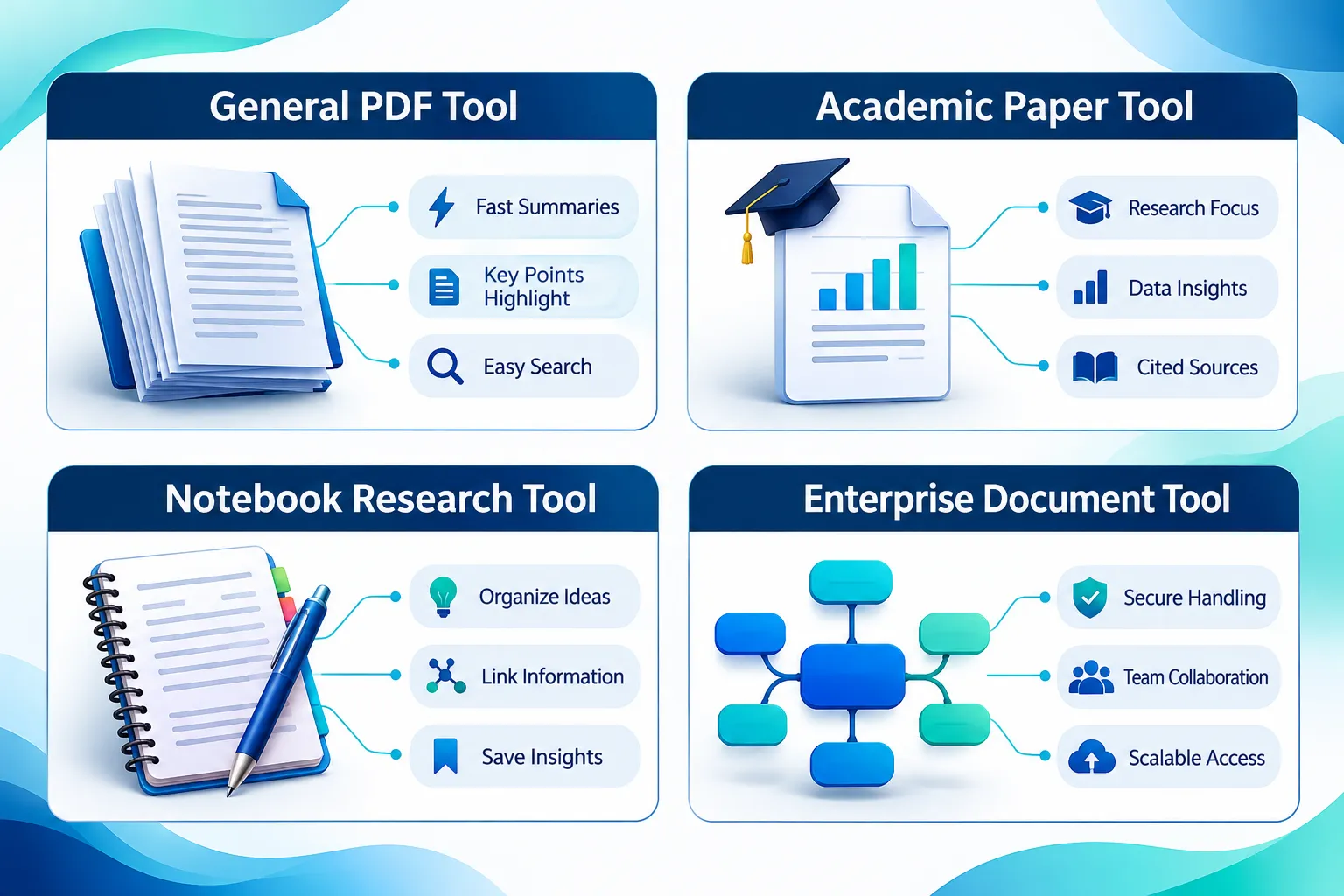
There is no single best summarizer for every situation. What actually matters is matching the tool to the kind of document and the volume of work involved. A 2026 overview of PDF summarization tools identified several standouts, each suited to a different job:
| Tool type | Best for | What to know |
|---|---|---|
| General PDF summarizers (ChatPDF, Smallpdf) | Quick single-document summaries | Fast for one-off reports, less suited to research across many files |
| QuillBot | Paragraph-level condensation | Good for tightening existing text rather than analyzing structure |
| Adobe Acrobat AI Assistant | Everyday business documents | Supports files up to 600 pages and 100 MB, with page-level references; offered as a paid add-on |
| Scholarcy | Academic papers | Automatically extracts methods, findings, limitations, and references into a structured summary |
| Gemini Notebook (formerly NotebookLM) | Multi-document research | Ingests up to 50 files per notebook, answers questions with inline citations pointing to specific passages |
| Denser, NoteGPT | Visual and mind-map style summaries | Useful when you want a visual overview rather than linear text |
Gemini Notebook is a reasonable starting point for students and knowledge workers who need to cross-reference many files at once, since it can hold up to 50 documents in one notebook. Its free tier, however, comes with daily quotas, in some regions, as of October 2026, that has meant a fixed number of questions per day and a limited number of audio overview summaries, so heavy users may hit the ceiling faster than expected. Always check the current quota on the provider’s site before planning a workflow around it, since these limits change.
If your work leans toward general-purpose AI assistants rather than dedicated document tools, the comparison in ChatGPT vs Claude vs Gemini: Which AI Fits Your Work Style walks through practical tradeoffs between the major chat-based models, several of which now handle long document uploads reasonably well.
What Actually Matters: Limits, Pricing, and Verification
Before picking a tool, confirm three things, because these details change often and directly affect whether a tool fits your workload.
File size and page limits. Adobe’s AI Assistant, for example, is documented as supporting PDFs up to 600 pages and 100 MB per file. Other tools cap out much lower. If you regularly work with long technical manuals or multi-hundred-page contracts, check the stated limit rather than assuming “long document” support means unlimited length.
Daily usage quotas. Free tiers are rarely unlimited. Gemini Notebook’s free tier has included limits such as a capped number of daily questions and a small number of audio overview summaries per day in some regions as of late 2026. If your job involves summarizing dozens of documents daily, a free tier may run out before lunch.
Pricing models. Some summarization features are bundled into a document editor’s paid plan, others are offered as a separate add-on, and some tools are free with usage caps. Because pricing structures shift frequently, verify the current plan details directly on the provider’s page rather than relying on older reviews. This article does not list specific dollar figures because plan pricing changes too often to guarantee accuracy at the moment you read this, check the provider’s pricing page and note the date you verified it.
Accuracy and hallucination risk. No summarization tool is immune to generating a detail that is not actually in the source. This risk grows with longer, denser, or more technical documents. For research-heavy work, pairing summarization with a verification habit, checking citations and quoted figures against the original, is described in more depth in how to verify AI research, sources, and citations.
A summary is a starting point for understanding a document, not a replacement for reading the parts that matter most.
When AI Summarization Is Not the Right Tool
AI summarization works well for triage, research synthesis, and getting oriented in a long report quickly. It is a weaker fit in a few situations:
- High-stakes legal or compliance review, where a missed clause carries real consequences. Use AI to get oriented, then have a qualified person review the actual contract language.
- Documents with heavy tables, charts, or financial figures, since text-based summarizers can misread or flatten numerical detail.
- Extremely short documents, where reading the original takes less time than setting up an AI tool.
- Sensitive or confidential files, where uploading to a third-party AI service may raise privacy or compliance concerns. Check your organization’s data policy first.
If your workflow regularly touches AI-assisted research beyond summarization, including fact retrieval and structured search across documents, the explainer on Retrieval-Augmented Generation (RAG) covers the related technology that powers many of these document search features.
Frequently Asked Questions
Can AI really summarize a 200-page document accurately in under a minute? Processing speed of 30 to 60 seconds for files over 200 pages has been reported in 2026 tool reviews, and this matches the general capability of current large-document AI tools. Speed is well established; full accuracy on every detail is not guaranteed, so spot-checking key facts is still recommended.
Is it better to summarize inside a PDF tool or paste text into a chatbot? Summarizing inside the document tool itself is generally the better approach, because the summary stays linked to the source file and you can jump back to specific pages. Pasting text into a general chatbot can work for shorter excerpts but loses that page-level connection.
Do free AI summarization tools have real limits? Yes. Free tiers commonly cap daily questions, the number of files per project, or page counts per document. Gemini Notebook, for instance, has included daily quotas on questions and audio summaries in some regions. Always check current limits before building a workflow around a free plan.
What is the biggest risk of relying on AI summaries? The main risk is an AI stating something confidently that is not actually in the source document, sometimes called a hallucination. This is more likely with long, technical, or numerically dense files, which is why verifying important figures and quotes against the original text matters.
Are specialized tools better than general AI chat assistants for summarizing documents? It depends on the document type. Specialized tools like Scholarcy for academic papers or Gemini Notebook for multi-document research tend to produce more structured, citation-linked output. General chat assistants like ChatGPT, Claude, or Gemini can handle summarization well too, particularly for shorter or less specialized documents.
How much does AI document summarization typically cost? Costs vary by provider and change frequently, ranging from free tools with daily usage caps to paid add-ons bundled with document editing software. Check the current pricing page for your chosen tool and note the date you verified it, since plans are updated often.
Conclusion
Learning how to use AI to summarize long documents in minutes comes down to three habits: pick a tool that matches your document type and volume, use the structured summary as a starting point rather than a final answer, and verify the details that actually matter before you act on them. The technology has moved fast in 2026, with tools now routinely handling 200-plus-page files in under a minute, but speed does not replace judgment.
Start small. Pick one long document you have been putting off, run it through a summarizer that fits your use case from the comparison above, and check two or three key facts against the source. That single test will tell you more about whether a tool fits your everyday work than any feature list.
For more practical comparisons and guidance on AI document tools, browse the Research and Documents category or the broader Practical AI section on Tech Clearly.
Meta Title: How to Use AI to Summarize Long Documents in Minutes
Meta Description: Learn how to use AI to summarize long documents in minutes, compare top tools, understand limits, and verify summaries before relying on them.
Tags: AI summarization, document summarization, PDF summarizer, Gemini Notebook, Adobe Acrobat AI Assistant, productivity tools, research tools, AI document tools, long document summary, practical AI, AI workflow, academic research tools
Contributing writer at Tech Clearly.