

How to Summarize Long Documents With AI Without Losing Key Details
A 40-page vendor contract. A 90-minute meeting transcript. A research bundle with twelve PDFs. Hand any of those to a general AI chatbot with a one-line prompt, and there’s a real chance it hands back a summary that reads well but quietly drops the one clause, deadline, or data point that actually mattered.
That’s the real problem people are trying to solve when they search for how to summarize long documents with AI without losing key details. It’s not about making text shorter. Shortening is easy. The hard part is deciding what to keep, and most default AI prompts make that decision badly because they’re optimized for brevity, not completeness.
This guide covers what actually matters: which tools handle long documents well, how to structure your request so nothing important gets cut, and how to verify a summary before you trust it. Some of this is based on researched product documentation and independent tool comparisons; where Tech Clearly has not run hands-on testing on a specific tool, that distinction is called out directly.
Key Takeaways
- Long-context models like Claude Opus 5, GPT-5.6, and Gemini 3.x can now read entire documents in one pass, which reduces the “chunking” problem that used to cause dropped details.
- The biggest factor in detail loss isn’t the model, it’s the prompt. Asking for a “short summary” almost guarantees omissions.
- Extractive summaries (pulling exact sentences) preserve specific figures and clauses better than abstractive summaries (rewritten in new words).
- Structured outputs, outlines, section-by-section summaries, and source-linked citations, make it possible to check whether anything was missed.
- Domain-specific tools (legal, academic, meeting transcripts) often retain niche details that general chatbots gloss over.
Why AI Summaries Lose Details in the First Place
Before getting into step-by-step guidance, it helps to understand where detail loss actually comes from, because the fix depends on the cause.
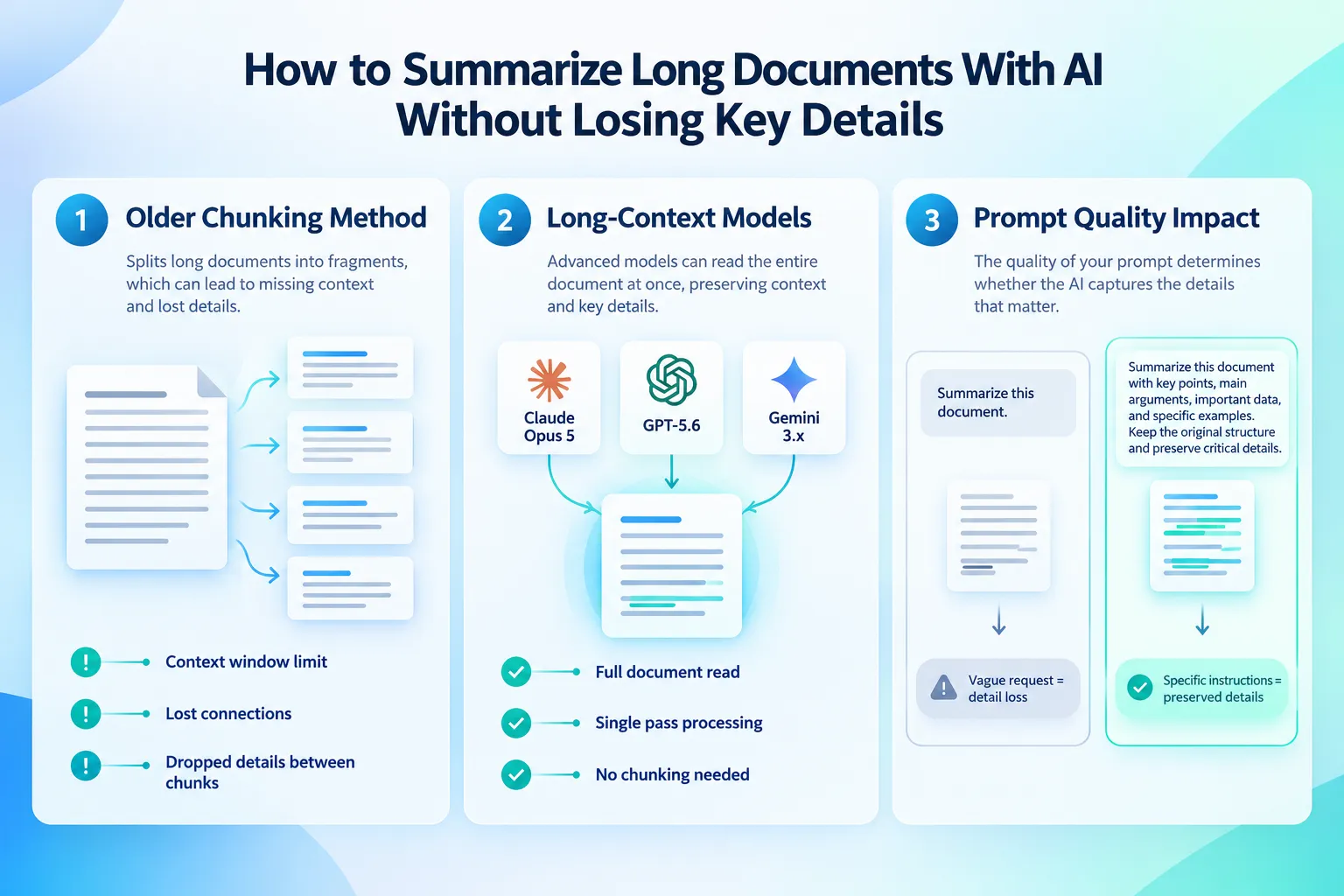
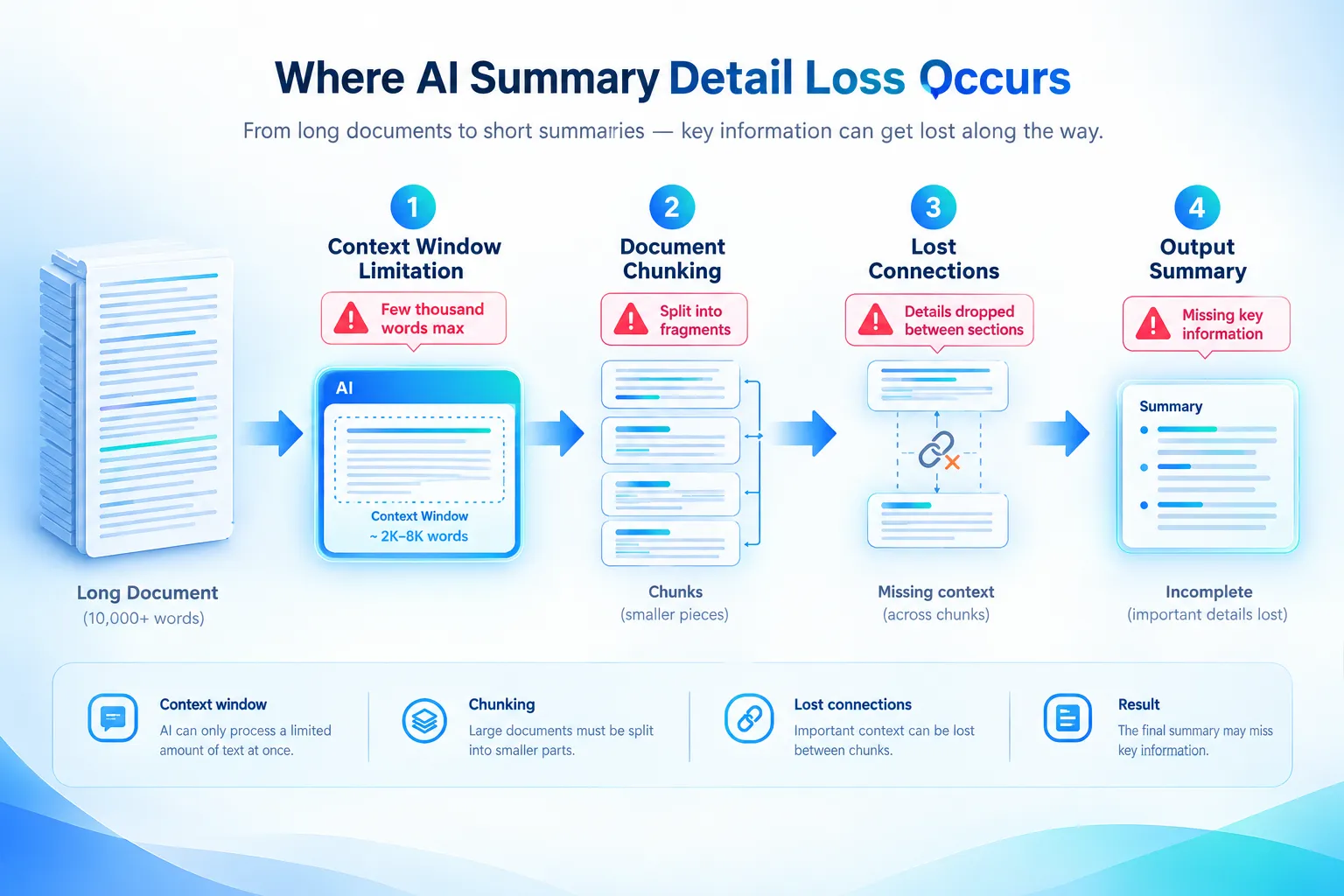
For years, the main culprit was context window size. Older models could only process a few thousand words at once, so long documents had to be split into chunks, summarized separately, and stitched back together. Anything that depended on connecting ideas across chunks, a definition introduced on page 2 and referenced on page 40, for example, was at risk of getting lost or garbled.
That specific problem is largely solved now. Current-generation models support context windows ranging from hundreds of thousands of tokens up to roughly two million tokens in Gemini’s case, which is enough to hold very large files in a single pass without aggressive pre-chunking. That means the model can see the whole report at once and keep track of how sections relate to each other.
What hasn’t gone away is a second, more human problem: vague instructions. When someone asks an AI to “summarize this document,” the model has to guess how much detail is appropriate. Left to its own judgment, it usually errs toward brevity, because that’s what “summary” tends to mean in its training data. The model isn’t being careless, it’s doing exactly what a loosely worded request implies.
Step-by-Step: How to Summarize Long Documents With AI Without Losing Key Details
This is the practical workflow worth following for anything longer than a few pages, a report, a contract, a transcript, or a stack of research papers.
1. Choose a tool with enough context capacity for the whole document. Check the document’s length against what the tool can actually process in one upload. As of research conducted in October 2026, Microsoft’s Copilot in Word can handle documents and uploaded PDFs up to around 80,000 words, and several paid SaaS summarizers advertise support for 200 to 300-page PDFs. If a document exceeds a tool’s stated limit, the tool will silently truncate or chunk it, and that’s exactly when details start disappearing. Always check the current limit before relying on it, since these numbers change often.
2. Decide between extractive and abstractive summarization. This is one of the most underused controls available. Extractive summarization pulls exact sentences straight from the source text, safer when every figure, date, or contractual term needs to survive word-for-word. Abstractive summarization rewrites ideas in new language, which reads more naturally but introduces more risk of subtle distortion or omission. Microsoft’s Azure Language service documentation describes this distinction clearly and notes that its “long” summary setting typically runs seven or more sentences, around 210 tokens, a useful reference point for how much length a detail-preserving summary usually needs.
3. Ask for an outline before asking for a summary. Requesting a structured outline first, headings, subheadings, and a one-line description of each section, gives you a map of what the document actually contains. Then you can summarize section by section against that map, which makes it far easier to notice if something got skipped.
4. Write prompts that name what must be preserved. Instead of “summarize this,” use something closer to: “Summarize this report section by section. Preserve all dollar figures, deadlines, named owners, and any legal obligations. Flag anything you’re unsure how to summarize rather than omitting it.” Being specific about categories of detail, numbers, names, dates, obligations, does more to prevent loss than any model upgrade.
5. Check the summary against the source using citations. Several newer tools, including NotebookLM, Linnk Summarizer, and Adobe Acrobat’s AI summary generator, link each summarized point back to the exact passage it came from. That traceability matters more than polish. If a tool doesn’t offer citations, spot-check a sample of claims manually, especially numbers and quoted language.
Which AI Tools Handle Long Documents Best
No single tool is the right choice for every document type. The practical tradeoffs below are based on researched product comparisons and official documentation rather than hands-on side-by-side testing by Tech Clearly.
| Tool | Best for | What actually matters |
|---|---|---|
| Claude Opus 5 | Long, complex reports and multi-section documents | Independent comparisons in late 2026 consistently rank it strongest for maintaining context across lengthy material |
| ChatGPT (GPT-5.6) | General-purpose articles and business reports | Strong at extracting and clearly explaining key points; a solid default for everyday work |
| Gemini | Very large files on a free plan | Context window up to roughly two million tokens, making it the practical choice for oversized PDFs without a paid plan |
| Microsoft Copilot in Word | Operational documents inside existing Microsoft workflows | Lets you ask it to highlight key details and refine with follow-ups like “include all deadlines and owners” |
| Scholarcy, SciSpace | Academic papers | Tuned to retain methodology, findings, and references that general chatbots often compress away |
| AI Lawyer | Contracts and case law | Built to preserve legal clauses rather than paraphrase them |
| Otter and similar tools | Meeting transcripts | Focused on retaining action items and decisions, not just topics discussed |
For a broader look at how the major general-purpose models compare on everyday work, see Tech Clearly’s comparison of ChatGPT, Claude, and Gemini. If you’re deciding whether a paid ChatGPT plan is worth it specifically for document work, this breakdown of ChatGPT Plus versus the free tier covers the practical differences.
Handling Specific Document Types Without Losing Key Details
Contracts and legal documents. Use extractive mode or a legal-specific tool rather than a general chatbot’s default summary. A single missed clause in a contract summary can cause real problems, so treat the AI output as a starting point for review, not a replacement for reading the original language on anything with financial or legal consequence.
Academic papers and research bundles. General chatbots tend to compress methodology sections the hardest, because methods are dense and less narrative than conclusions. Domain tools like Scholarcy or SciSpace are built specifically to preserve methods, sample sizes, and limitations, details that matter if you’re citing the research later.
Meeting transcripts and chat logs. For long conversational data, current best practice is to compress the raw transcript into a structured format, a timeline, a decisions list, an open-issues list, rather than feeding the entire transcript to the model in one block. This keeps the narrative and decision trail intact even when the context window is tight.
Operational reports and decks. This is where Microsoft Copilot in Word or a tool like Adobe Acrobat’s summary generator tends to fit naturally, especially if the document is already part of a Microsoft or Adobe workflow. These tools allow iterative refinement, asking the model to focus on specific sections after the first pass, which catches detail gaps the initial summary missed.
For deeper background on how AI retrieves and grounds information in source documents, Tech Clearly’s explainer on retrieval-augmented generation is a useful companion piece, since many enterprise summarization pipelines now combine RAG with long-context models and an evaluation layer that checks summaries for completeness before they’re trusted.
How to Verify a Summary Before You Trust It
Even the best setup can still produce a summary that quietly skips something. A short verification routine catches most problems:
- Spot-check numbers against the source. Pick three to five figures from the summary and confirm them in the original document.
- Compare the outline to the table of contents. If the document has defined sections, confirm the summary addresses every one of them, not just the ones that seemed most important to the model.
- Ask the AI what it left out. A direct follow-up like “What sections or details did you not include?” often surfaces gaps the model is aware of but didn’t flag unprompted.
- Watch for confident-sounding but unsupported claims. This is a known failure mode worth understanding on its own; Tech Clearly’s explainer on why AI makes things up and how to catch it covers the warning signs.
- Use citation-linked tools when the stakes are high. Tools that trace each summarized point back to its source passage make this verification step much faster.
This verification habit matters most in regulated or high-stakes work, legal, financial, medical, or compliance documents, where a missed detail isn’t just inconvenient, it’s a liability.
Frequently Asked Questions
Can AI summarize a 100-page document without missing anything? Modern long-context models can technically read a document that long in one pass, but “without missing anything” depends heavily on the prompt and the summarization mode used. Extractive summarization with section-by-section prompting, verified against citations, gives the best realistic chance of full coverage.
Is Gemini really the best free option for large documents? Based on researched comparisons, Gemini’s context window, reported at up to around two million tokens, makes it well suited to very large files without a paid subscription. Whether it’s the best fit depends on the document type; for legal or academic material, a domain-specific tool may still outperform it on detail retention.
What’s the difference between extractive and abstractive summaries? Extractive summaries copy exact sentences from the original text, which preserves specific wording and numbers. Abstractive summaries generate new sentences to compress ideas, which reads more smoothly but carries more risk of subtle change or omission. Choose extractive when specific figures or legal language must stay exact.
Should I trust a single AI summary for a legal contract? No. Use it as a first pass, ideally with a legal-specific tool or extractive mode, and always verify key clauses against the original document. AI summaries are a starting point for review, not a substitute for it.
How do I stop ChatGPT or Claude from shortening my summary too much? Specify length and format directly: ask for a “detailed, section-by-section summary” rather than “a summary,” and name the categories of detail that must be preserved, such as numbers, deadlines, or named individuals. Vague requests default to brevity.
Are paid summarization tools worth it over free chatbots? It depends on document volume and type. Free tiers of ChatGPT, Claude, and Gemini handle most everyday reports and articles well. Paid plans or specialized tools become worth it when working with very large PDFs, legal or academic material, or when citation tracing and iterative refinement are needed regularly. More plan and pricing comparisons are available in Tech Clearly’s AI tools and plans section.
Conclusion
Summarizing a long document with AI without losing key details comes down to three habits: picking a tool with enough context capacity for the whole file, giving the model specific instructions about what to preserve rather than a vague “summarize this” request, and checking the output against the source before relying on it. None of that requires technical skill, it just requires treating the summary as a draft that needs a quick review, not a finished answer.
As a next step, try the same document through two different approaches, a general chatbot like ChatGPT or Claude with a detailed, section-by-section prompt, and a tool built for your specific document type, whether that’s a legal, academic, or meeting-transcript summarizer. Compare what each one catches and misses. For more practical workflows like this one, browse Tech Clearly’s Research and Documents section and the broader Practical AI category for ongoing, verified guidance as these tools continue to change.
Meta Title: How to Summarize Long Documents With AI Without Losing Details
Meta Description: Practical, step-by-step guidance on how to summarize long documents with AI without losing key details, including tool tradeoffs and verification tips.
Tags: AI document summarization, long-context AI, Claude Opus, ChatGPT summarization, Gemini context window, extractive vs abstractive summary, AI for contracts, academic paper summarizer, meeting transcript AI, RAG pipelines, AI productivity tools, document analysis AI
Contributing writer at Tech Clearly.