

How to Use Claude for Document Summarization and Research
A 40-page contract, a stack of academic papers, three competitor reports, and a Friday deadline. That is the moment most professionals discover whether an AI tool actually helps them think faster or just adds another browser tab to ignore. Claude, the AI model from Anthropic, has quietly become one of the more capable options for this exact problem, and learning how to use Claude for document summarization and research properly can save hours every week, provided you understand what it does well and where it still needs a human check.
This guide walks through practical guidance for using Claude on real documents and real research tasks, based on researched information about the current product as of late 2026. It covers setup, step-by-step workflows, plan requirements, and the limits worth knowing before you trust a summary with something important.
Key Takeaways
- Claude’s Research feature runs multi-step, agentic searches across the web and connected tools like Google Workspace, built for document-heavy research work rather than quick one-off questions.
- Research requires a paid Claude plan (Pro, Max, Ultra, Team, or Enterprise) and only works once web search is turned on through the ”+” button in chat.
- As of October, November 2026, Research runs on Claude Opus 5.5, falling back to Claude Opus 4.8 automatically when needed, last verified during this article’s research pass.
- For very long documents, especially legal or technical material, a chunk-then-combine (meta-summarization) approach outperforms asking Claude to summarize an entire file in one pass.
- Claude is strong at synthesis and organization but still requires source verification, particularly for citations, legal interpretation, and numeric claims.
Setting Up Claude for Document Summarization and Research
Before diving into prompts, it helps to know what’s actually available at each plan level, since this changes what workflows are realistic for your situation.
Claude’s Research capability is built for genuinely complex questions, the kind where a single search isn’t enough. According to Anthropic’s own description, Research automatically runs multiple searches, explores different angles of a question, and pulls the findings into one coherent answer. That’s a meaningful difference from asking a chatbot to “summarize this PDF.” Research is designed for decision-making work: comparing options, investigating a topic across many sources, or working through a pile of connected documents.
As of late 2026, Research is limited to paid plans, Pro, Max, Ultra, Team, and Enterprise, on web, desktop, and mobile. It will not activate unless web search is switched on first. To turn it on, open a chat, click the ”+” button, and enable Research from there. Once active, Claude can search the open web and, if connected, work tools such as Gmail, Google Calendar, and Google Docs during a research session.
Under the hood, Research currently runs on Claude Opus 5.5, with an automatic fallback to Claude Opus 4.8 if the primary model isn’t available. This is Anthropic’s highest-capability model pairing, which matters for anyone doing document-heavy analysis where reasoning quality affects the result. These model names and plan details can change, so treat them as accurate at time of writing and double-check current terms before relying on them for a paid workflow.
If you’re deciding between Claude and other assistants for this kind of work, it’s worth reading a clear comparison of ChatGPT, Claude, and Gemini to see which fits your actual work style, since the right tool depends on your document types and budget, not a universal winner.
Image placeholder, see 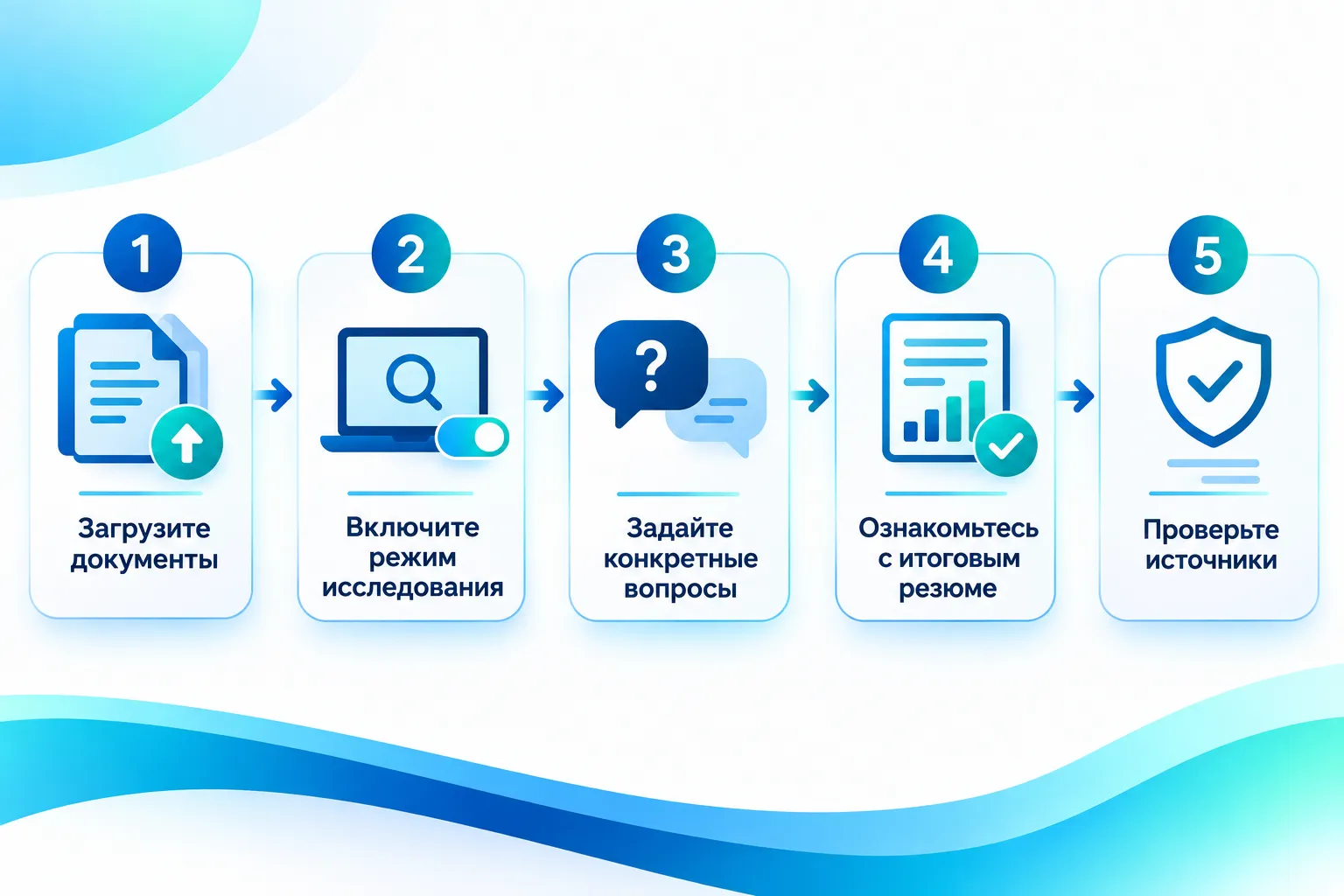
Step-by-Step: How to Use Claude for Document Summarization and Research
This section covers the practical, repeatable steps, what actually matters when you’re sitting down with a real document or a research question, not a demo.
Step 1: Decide if this is a summarization task or a research task
These are different jobs. Summarizing one document is about compression, keeping the key points, dropping the filler. Research is about synthesis across multiple sources, comparing, cross-checking, and building an answer from pieces that don’t live in one file. Claude handles both, but the setup differs.
Step 2: Upload or paste your material
For a single document, upload the file directly into the chat or paste the text. Claude’s document understanding, a core capability alongside analysis and question answering, is built to work with varied file types and formats, not just plain text.
Step 3: For long documents, chunk before you summarize
This is the single most useful technical habit for anyone doing serious document work with Claude. Anthropic’s own legal summarization guidance recommends a “meta-summarization” approach for long or complex material: break the document into manageable sections, summarize each section individually, then combine those section summaries into one higher-level summary. This matters because very long documents or large document collections can exceed what a single pass can reliably hold onto. Chunking is especially relevant for contracts, case law, lengthy reports, or academic papers with dense sections.
A simple version of this for everyday work:
- Split the document into 3-6 logical sections (by chapter, clause, or topic).
- Ask Claude to summarize each section separately, with a consistent prompt format.
- Paste all section summaries back into one message.
- Ask Claude to produce a combined meta-summary that highlights what matters most across sections.
If you want more detail on this exact method applied to different document types, see this guide to summarizing long documents with AI without losing key details.
Step 4: Use Research mode for multi-source questions
Once Research is enabled, ask a direct question rather than a vague topic. Instead of “tell me about remote work policy trends,” try “compare how three competitors structured their 2026 remote work policies, citing each source.” Claude will run several searches, explore different angles, and return a synthesized answer with sources attached. This pattern works well for competitive research, market scans, and literature-style reviews.
Step 5: For academic or structured research, build a roadmap, not just a summary
Anthropic’s Claude Academy materials describe a workflow for literature reviews that goes beyond summarizing: Claude helps define the research question, searches for relevant papers (including through databases like PubMed), helps prioritize what to read first, and organizes findings as you upload papers one by one. The end result described is a structured document, essentially a research roadmap with headings, notes space, and visual organization, rather than one long undifferentiated summary. This structured approach is far more useful for a multi-week project than a single chat response.
Step 6: Verify before you rely on it
Treat every Claude-generated summary or research synthesis as a draft, not a final answer, especially where citations, legal interpretation, or numbers are involved. AI models can misstate sources or blend details in ways that sound confident but aren’t accurate. For a concrete process on checking this, see how to verify AI research, sources, and citations, and for background on why this happens at all, AI hallucinations explained is a useful companion read.
Image placeholder, see 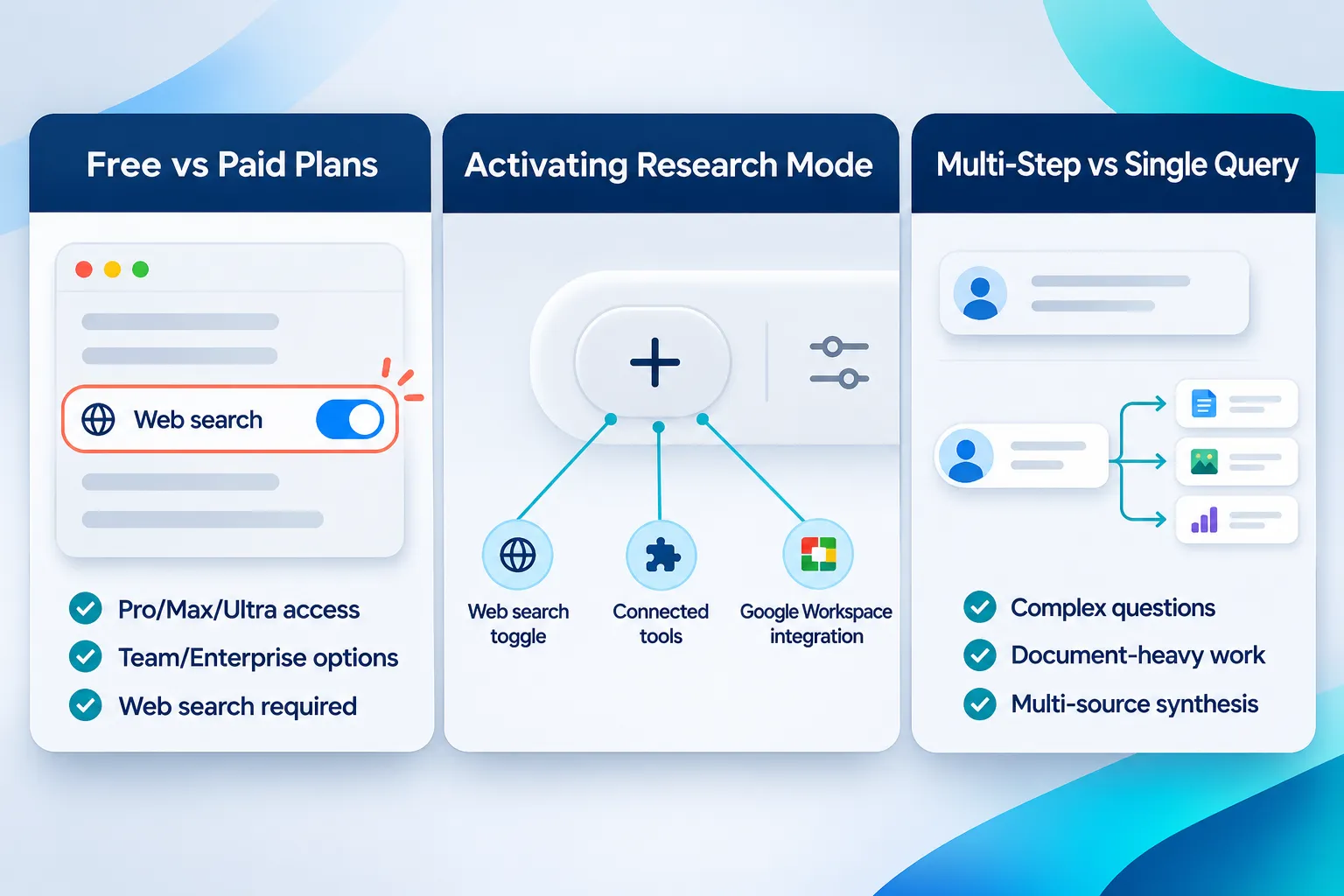
Practical Tradeoffs: What Claude Does Well and Where It Struggles
No tool is right for every document job. Here’s a plain breakdown of what actually matters when deciding whether Claude is the right fit for a given task.
| Situation | Claude’s Strength | What to Watch For |
|---|---|---|
| Single long document (contract, report) | Good with chunk-then-combine approach | Full-document, single-pass summaries can lose detail in very long files |
| Multi-source research question | Research mode runs multiple searches and synthesizes | Requires paid plan and web search enabled; verify every citation |
| Academic literature review | Can structure a research roadmap, prioritize papers | Still needs a human to judge paper quality and relevance |
| Technical or code-related summaries | Can summarize changes in structured, repeatable commands | Patterns built for code may need adapting for general documents |
| Fast, simple one-document summary | Quick and usually accurate for straightforward text | Not worth enabling full Research mode for this, adds unnecessary steps |
For everyday work, the practical pattern is: use plain summarization for single short documents, switch to chunking for anything long or dense, and reserve Research mode for genuine multi-source comparison questions. Running Research on a simple task just slows things down without adding value.
It’s also worth comparing this against competitors rather than assuming Claude is automatically the best fit. If you work heavily inside Gmail, Docs, and Calendar, Claude’s Workspace connections may matter more than for someone who works mostly from PDFs and local files. The AI comparisons category on Tech Clearly covers more head-to-head breakdowns if you’re still deciding between tools.
Where This Fits Into a Broader AI Workflow
Document summarization and research rarely happen in isolation. They usually feed into something else, a report, a decision, a client deliverable. Claude’s Research feature is one example of a broader shift toward AI tools that act more like assistants running multi-step tasks than simple chat responders. If you want to understand this shift more generally, what an AI agent is and how it differs from a chatbot is a useful plain-English explainer, and the agents and automation category covers related tools and workflows.
For readers who want a steady stream of practical guidance on research and document tools specifically, the Research and Documents category collects related articles in one place.
Frequently Asked Questions
Does Claude require a paid plan for document research? Yes, based on researched information current as of late 2026. The Research feature requires a paid Claude plan, Pro, Max, Ultra, Team, or Enterprise, and only activates once web search is turned on through the ”+” button in the chat interface.
Can Claude summarize a document longer than its context window? Not reliably in a single pass. Anthropic’s own guidance for long or legal documents recommends chunking the document into sections, summarizing each section, then combining those into one meta-summary. This avoids losing content that exceeds what one pass can hold.
What model powers Claude’s Research feature? As of October, November 2026, Research runs on Claude Opus 5.5, with automatic fallback to Claude Opus 4.8. Model names and availability change over time, so it’s worth checking Anthropic’s current documentation before relying on this for a time-sensitive project.
Is Claude good for academic literature reviews? It can be useful as a structuring tool, helping define a research question, prioritize papers, and organize findings into a roadmap document, but it should not replace human judgment on source quality, methodology, or relevance.
How do I check if Claude’s summary or research answer is accurate? Cross-check any factual claims, numbers, or citations against the original source material directly. A structured verification process, such as the one in how to verify AI research, sources, and citations, reduces the risk of relying on an inaccurate synthesis.
Is Claude better than ChatGPT or Gemini for document work? There’s no universal winner here, it depends on your document types, existing tools (like Google Workspace), and budget. See the ChatGPT vs Claude vs Gemini comparison for a breakdown of practical tradeoffs between the three.
Conclusion
Claude’s document summarization and research tools are genuinely useful for everyday work, but only when matched to the right task. Short documents don’t need Research mode. Long or dense material benefits from chunking before summarizing. Multi-source questions are where the Research feature, running on Anthropic’s top-tier models as of late 2026, actually earns its keep.
The practical next step: pick one real document or research question you’re facing this week, try the chunk-then-combine method or Research mode depending on the task, and verify at least one factual claim against the original source before using the output anywhere that matters. That single habit, verify before you rely, is what separates useful AI-assisted research from a confident-sounding shortcut.
Meta Title: How to Use Claude for Document Summarization and Research
Meta Description: Learn how to use Claude for document summarization and research, including setup steps, chunking methods, and when to trust the results.
claude ai, document summarization, AI research tools, Claude Research feature, meta-summarization, literature review AI, AI document analysis, Anthropic Claude, chunking long documents, AI citation verification, research workflow automation
Contributing writer at Tech Clearly.