

Copilot for Microsoft 365: Plans, Pricing, and What You Actually Get
Microsoft now sells at least four distinct versions of “Copilot” inside Microsoft 365, and three of them share overlapping names. That is not an accident of marketing, it reflects a real split between a free-ish chat tool bundled into existing subscriptions and a paid add-on that actually rewires how Word, Excel, Outlook, and Teams behave. If you have tried to figure out Copilot for Microsoft 365: Plans, Pricing, and What You Actually Get from Microsoft’s own pricing pages, you have probably ended up with more questions than you started with.
This guide sorts through the current structure as of the latest verified pricing and licensing details from Microsoft’s documentation, support pages, and partner updates. It is researched information, not hands-on testing of every tier, and pricing details change often enough that you should confirm current numbers before purchasing.
Key Takeaways
- Copilot Chat is bundled free with eligible Microsoft 365 subscriptions, but it does not give you Copilot inside your Word or Excel documents.
- The Microsoft 365 Copilot add-on license is what unlocks embedded AI in Office apps, and it costs extra per user, per month.
- Small businesses with up to 300 users get a dedicated “Copilot Business” add-on, often with time-limited promotional discounts.
- Enterprise and individual consumer pricing differ meaningfully, and family plan members get more limited access than the subscription owner.
- Licensing details, promotions, and feature rollouts change frequently, always check the last verified date before budgeting.
What Copilot for Microsoft 365 Actually Includes at Each Tier
The confusing part of Copilot for Microsoft 365: Plans, Pricing, and What You Actually Get is that “Copilot” is not one product. Microsoft’s current licensing structure separates experiences into four rough categories: Copilot Chat (Basic), Microsoft 365 Copilot (Basic), Microsoft 365 Copilot (Premium), and a higher-usage premium tier that adds Copilot Cowork and Copilot Code billed by consumption.
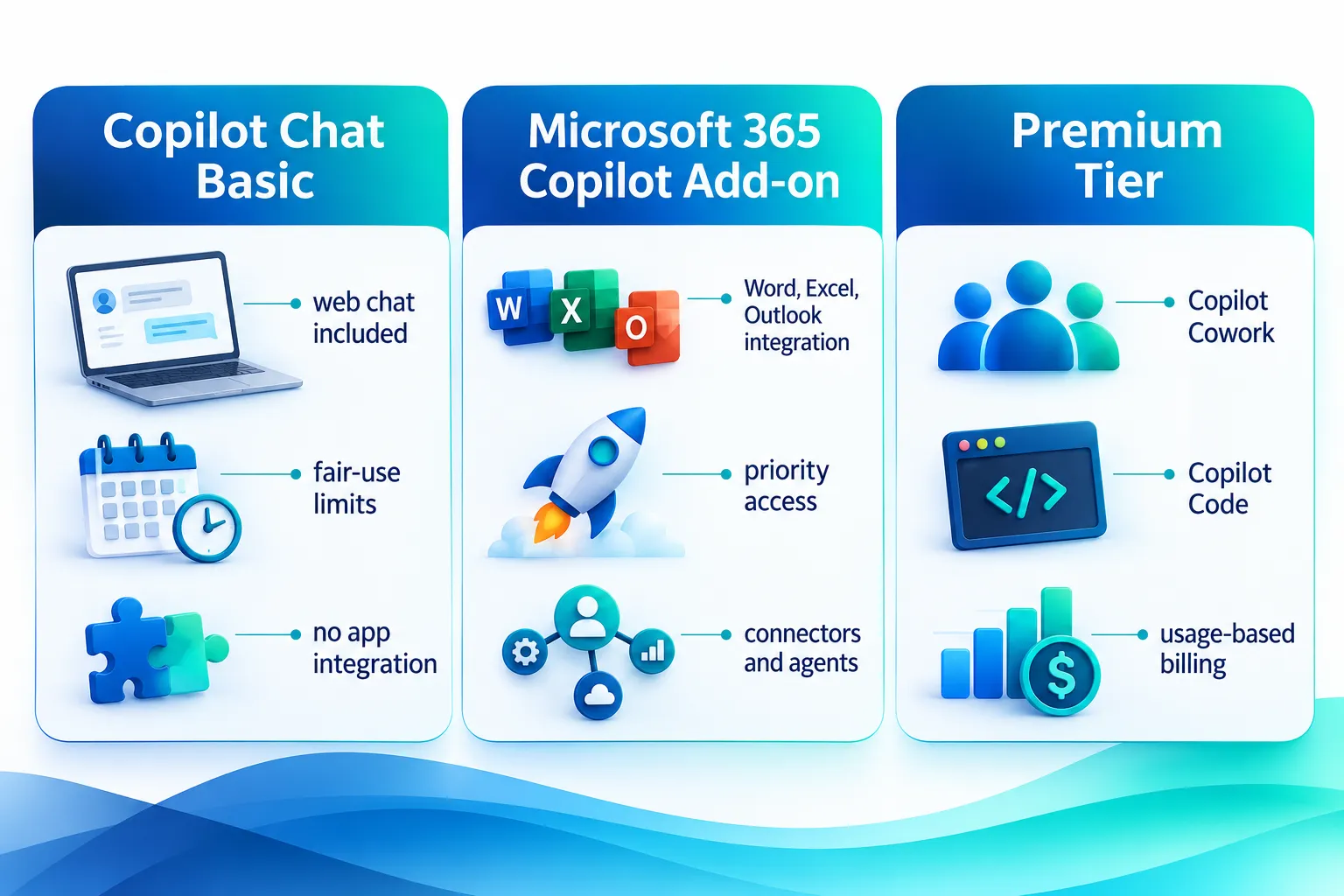
Copilot Chat is the free layer. If your organization or individual subscription already qualifies, you get web-based AI chat and optional pay-as-you-go access to chat that is grounded in your work data. This is useful for quick questions, drafting a paragraph, or summarizing a page you paste in. What it does not do is live inside Word, Excel, or PowerPoint as a sidebar you can click while editing a real document.
The Microsoft 365 Copilot add-on is the paid layer that most people picture when they hear “Copilot in Word” or “Copilot in Outlook.” With this license, Copilot appears directly in the ribbon of core Office apps, with fair-use or priority access depending on the tier, plus access to agents that pull from both the public web and your organization’s internal data through Microsoft Graph. The add-on also includes extensibility features, connectors, plugins, and custom agents, without separate consumption charges, which matters if your team plans to build internal Copilot agents rather than just chat with a generic assistant.
At the top sits the premium tier, which adds Copilot Cowork, a more collaborative work assistant, and Copilot Code, aimed at developers, both billed on a usage basis rather than a flat per-user fee. This tier is clearly built for organizations that want Copilot doing heavier, more autonomous work rather than answering occasional questions. If you are trying to understand how this kind of autonomous assistant differs from a basic chatbot, the explainer on what an AI agent is and how it differs from a chatbot is a useful companion read.
Who Actually Gets Copilot in Their Desktop Apps
This is the detail that trips up the most buyers. Without the add-on license, users may have “standard” or “basic” Copilot access inside Word, Excel, PowerPoint, and OneNote, but it comes with fair-use limits that can throttle how much you can actually use it day to day. With the add-on license, you get priority access to the full experience plus agent capabilities grounded in your work data.
For individual Microsoft 365 subscriptions, Personal, Family, and Premium, only the subscription owner gets deep Copilot integration into desktop apps, documents, email, spreadsheets, and calendars, and usage is capped by AI credits. Other family members on a shared Family plan get more limited, chat-focused access. If you share a Family subscription expecting everyone to get full document-level Copilot, that expectation does not match what Microsoft currently ships.
Copilot for Microsoft 365: Plans, Pricing, and What You Actually Get by Business Size
Pricing and plan structure diverge sharply depending on whether you are an individual, a small business, or an enterprise. None of these tiers is objectively “better”, they fit different situations, which is the practical tradeoff worth understanding before you commit a budget line to this tool.
Individual and Family Subscriptions
Microsoft markets consumer Copilot plans with promotional pricing that, as of November 13, 2026, was listed as “originally starting from $9.99, now starting from $6.99” per month. That number is a promotional price, not a permanent one, so confirm the current rate before you subscribe. Individual users get Copilot baked into their personal Office apps, subject to usage limits, while non-owner family members get a narrower chat-only experience.
Small and Medium-Sized Business (Copilot Business)
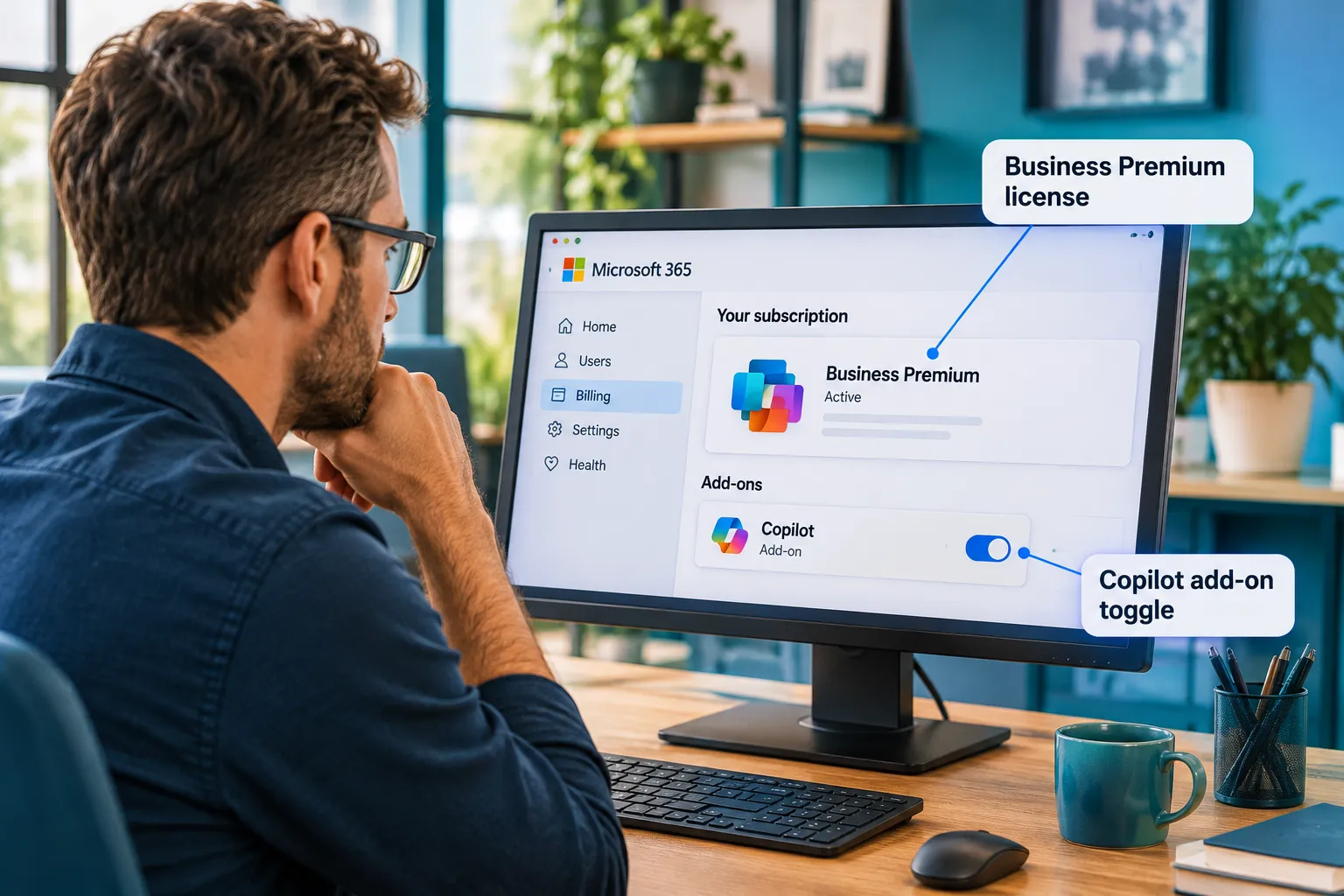
For organizations with up to 300 users, Microsoft offers Microsoft 365 Copilot Business as an add-on tied to eligible plans such as Business Premium, Standard, Basic, Apps for Business, or Teams Essentials. The headline add-on pricing has been listed around $32.00 per user, per month on an annual commitment, though a separate promotional listing has shown pricing “originally starting from $21.00, now starting from $18.00” per user, per month, with the fine print that the discount applies only to the first year.
Microsoft’s October 2026 partner update added further discounting on top of that: partners could offer up to 15% off new Copilot Business add-on subscriptions on up to 300 licenses, and up to 25% off a bundle combining Microsoft 365 Business Basic with Copilot Business, both running through December 31, 2026. That is a clear signal Microsoft is using discounts to push SMB adoption before standard pricing resumes, worth knowing if you are negotiating a deal through a partner rather than buying direct.
Enterprise Licensing
At the enterprise level, Copilot Chat is free for all Microsoft Entra account users on an eligible Microsoft 365 subscription, but the full embedded Copilot experience requires the add-on, listed at roughly ¤30.00 per user, per month on an annual commitment in some regional pricing pages. You still need a qualifying base plan, an E-class or F-class Microsoft 365 suite, for example, so the real cost to budget is the base license plus the Copilot add-on stacked on top. Microsoft 365 E7 is the one plan that currently includes Copilot bundled in rather than sold separately.
Quick reference: who needs the add-on license
- Occasional users who just want AI chat: Copilot Chat (included) is usually enough.
- Daily users who want AI inside Word, Excel, Outlook, and Teams: the add-on license is required.
- Teams building custom agents or connectors: the add-on avoids separate consumption charges.
- Developers wanting code-focused AI or heavier automation: look at the premium tier with Copilot Code.
What Changed Recently and What to Verify Before You Buy
Microsoft updates Copilot features on a near-weekly cadence. A support article documenting changes between October 28 and November 3, 2026, covers behavior updates across Word, Excel, PowerPoint, Outlook, and Teams, and a separate October 2026 update noted that some features roll out first to a smaller “Frontier” cloud audience before reaching everyone worldwide in November. That lag matters if you are evaluating a feature you read about online but cannot yet find in your own tenant.
On the administrative side, a November 2026 developer update added governance tools, including a filter that lets IT admins list and audit plugins, MCP servers, skills, and agents connected to Copilot. This is a meaningful shift: organizations are not just paying for Copilot seats anymore, they are also expected to manage what those seats can access. If your organization is already experimenting with connected agents, the explainer on what an AI agent is in plain English is a helpful primer for non-technical stakeholders who need to understand what IT is now governing.
Given how often these details shift, treat any specific price or feature claim, including the ones in this article, as something to double-check against Microsoft’s current pricing page. Last verified details here reflect research gathered in November 2026, and Microsoft has a track record of adjusting promotional pricing, fair-use limits, and plan names without much advance notice.
How to Decide Which Copilot Plan Fits Your Situation
There is no universal “best” tier here, only tradeoffs based on how you actually work. A freelancer who occasionally needs help drafting a client email is paying for capability they will rarely touch if they buy the full add-on license. A 40-person consulting firm that lives inside Outlook and Excel all day is likely under-served by the free Copilot Chat tier and will hit fair-use limits quickly.
A practical way to decide:
- Estimate how often you would actually use Copilot inside a document or email, not just in a chat window.
- Check whether your current Microsoft 365 plan already qualifies for the add-on, since not every base plan does.
- If you run a small business, ask about current partner promotions before paying list price, the discounts change the math significantly.
- If your team plans to build custom agents or connectors, factor in that the add-on bundles that extensibility instead of billing it separately.
- Revisit the decision every few months, since Microsoft adjusts both pricing and what counts as “fair use” fairly often.
For broader context on how Copilot’s underlying approach compares with other AI assistants professionals use day to day, the comparison of ChatGPT, Claude, and Gemini for different work styles is a useful reference point, since Copilot is not the only serious option for everyday work. If document-heavy tasks are your main concern, the practical guidance in how to summarize long documents with AI without losing key details applies directly whether you use Copilot or another tool.
Frequently Asked Questions
Is Copilot Chat the same as Microsoft 365 Copilot? No. Copilot Chat is the free, web-based chat tool bundled with eligible subscriptions. Microsoft 365 Copilot is the paid add-on that embeds AI directly inside Word, Excel, Outlook, and other desktop apps.
Do all Microsoft 365 family members get full Copilot access? No. Only the subscription owner on Personal, Family, or Premium plans gets deep integration into documents and email. Other family members typically get more limited, chat-focused access.
Is Copilot Business only for small companies? Microsoft 365 Copilot Business is capped at 300 users per tenant, which positions it for small and medium-sized businesses rather than large enterprises, which use separate E-class or F-class licensing instead.
Will Copilot pricing stay the same through 2026? Unlikely. Microsoft has already run multiple promotional pricing periods in 2026, and partner discounts have changed the effective cost for SMB buyers. Always confirm current pricing before signing an annual commitment.
What happens if my organization doesn’t buy the add-on license? Users typically retain access to Copilot Chat and may see basic Copilot features inside Office apps under fair-use limits, but they miss priority access, work-data agents, and full extensibility features.
Conclusion
Copilot for Microsoft 365: Plans, Pricing, and What You Actually Get boils down to one core decision: are you an occasional chat user, or do you need AI embedded directly in the documents, spreadsheets, and emails you work in every day? The free Copilot Chat tier covers the first case well. The paid add-on, priced differently for individuals, small businesses, and enterprises, is built for the second.
Before you commit budget, confirm your organization’s current base plan qualifies for the add-on, check whether a time-limited promotion applies, and be honest about how often your team will actually use embedded AI versus a free chat window. Given how frequently Microsoft adjusts these tiers, it is worth bookmarking Microsoft’s own pricing page and revisiting your choice every quarter rather than assuming today’s numbers will hold. For more practical breakdowns of AI tool pricing and plan structures, browse the AI Tools and Plans category on Tech Clearly, or explore Practical AI for more everyday-work guidance.
Meta Title: Copilot for Microsoft 365: Plans, Pricing, and What You Get
Meta Description: A clear breakdown of Copilot for Microsoft 365 plans, pricing by business size, and what each license tier actually unlocks in Office apps.
Tags: Copilot for Microsoft 365, Microsoft Copilot pricing, Copilot Business, Microsoft 365 licensing, AI productivity tools, Copilot Chat, enterprise AI pricing, SMB software plans, Office 365 AI, Copilot add-on
Contributing writer at Tech Clearly.