

GPT-6.1 Terra: Visual Reasoning and Computer Control for Daily Work
A model that can look at your screen, understand what it sees, and then actually click, type, and navigate on your behalf sounds like something out of a lab demo. As of October 2026, it is shipping in mainstream products. GPT-6.1 Terra: Visual Reasoning and Computer Control for Daily Work is the latest step in OpenAI’s push to combine strong visual understanding with the ability to operate software directly, and it is already showing up inside tools millions of people use every week.
This article walks through what GPT-6.1 Terra actually does, where you can access it, how it compares to earlier models, and where it still falls short. The goal is practical guidance, not marketing copy, what changed, what actually matters for everyday work, and what to verify before you rely on it.
Key Takeaways
- GPT-6.1 Terra combines visual reasoning with computer control, letting it interpret screenshots, documents, and interfaces, then take actions like clicking and typing.
- It is available through OpenAI’s consumer and developer products, with growing integration inside Microsoft and AWS-connected environments.
- Reasoning-effort controls let users or developers balance speed, accuracy, and cost depending on the task.
- Benchmark results on tests like MMMU-Pro and Agents’ Last Exam suggest meaningful gains in multimodal understanding and task completion versus predecessor models.
- The model is not infallible at complex, multi-step computer tasks, human review still matters for anything with real consequences.
What Is GPT-6.1 Terra and Why It Matters for Daily Work
GPT-6.1 Terra: Visual Reasoning and Computer Control for Daily Work is OpenAI’s model release focused on two things that have historically been weak points for AI assistants: understanding visual information with real precision, and acting on a computer screen the way a person would. Earlier models could describe an image or read text from a screenshot, but they struggled to connect that understanding to a sequence of real actions, opening a menu, selecting a field, confirming a dialog box.
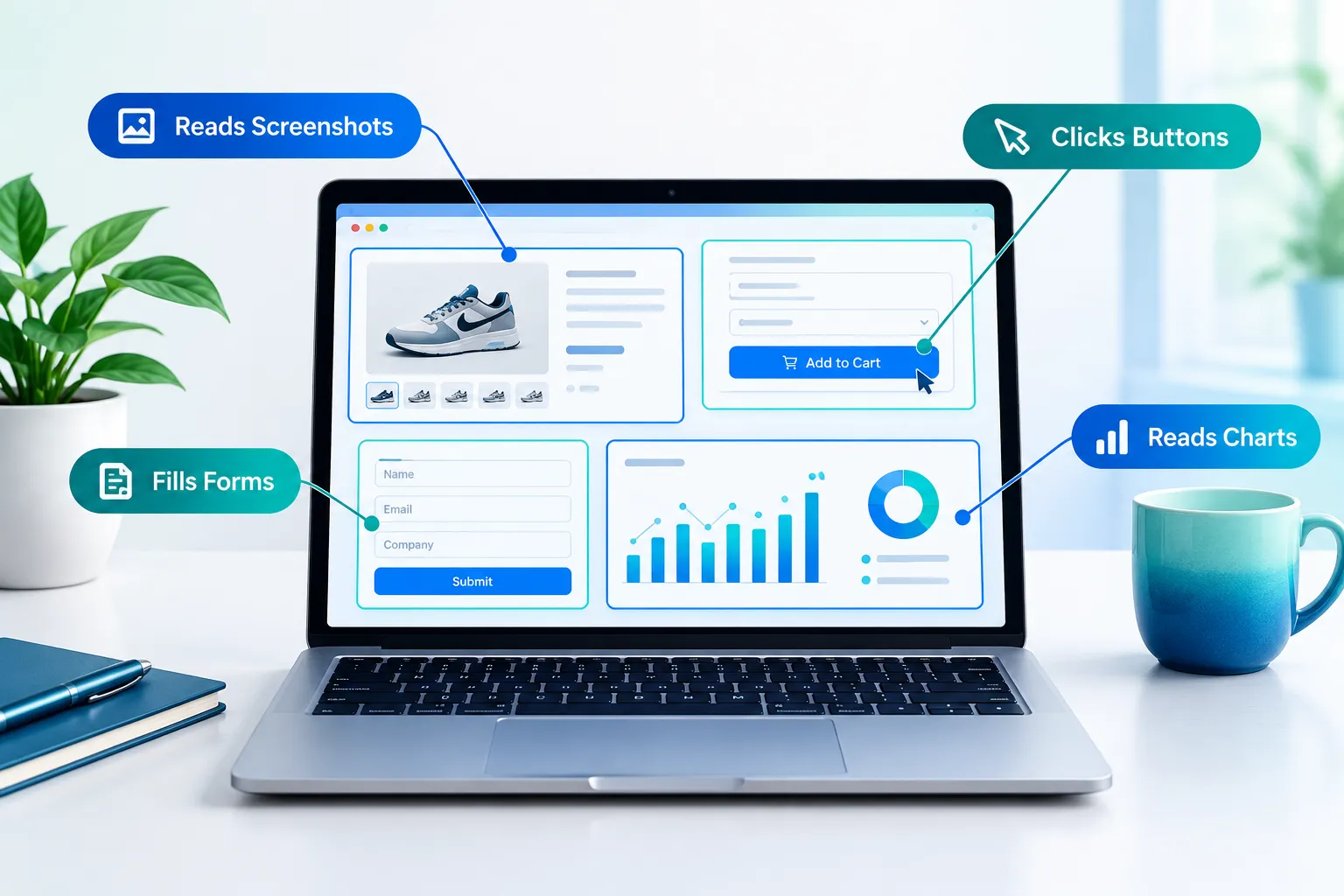
Terra narrows that gap. Based on researched information from OpenAI’s release materials, the model is designed to look at a screen, reason about what it’s seeing (a spreadsheet, a web form, a dashboard), and then carry out multi-step actions inside that interface. For everyday work, that means tasks like extracting data from a scanned invoice, navigating a company intranet to find a document, or filling out a repetitive web form without a developer writing custom automation.
This matters because most office work still happens inside visual interfaces, not clean APIs. A model that can “see” a screen the way a person does opens automation to people who have never written a line of code.
Where GPT-6.1 Terra Is Available Right Now
As of the last verified check in October 2026, GPT-6.1 Terra is rolling out across several surfaces:
- ChatGPT: Available to subscribers on higher-tier plans, with usage limits that vary by plan. If you’re deciding whether a paid plan is worth it, our breakdown of ChatGPT Plus vs Free is a useful starting point, though Terra access specifically may require a higher tier than the base Plus plan, check current plan details before upgrading.
- OpenAI API: Developers can call Terra directly for building custom tools, agents, and internal automations.
- Microsoft ecosystem: OpenAI’s long-standing partnership with Microsoft means Terra’s capabilities are expected to surface inside Copilot-branded products over time, particularly for tasks involving Office documents and Windows interfaces.
- AWS integration: Reports also point to availability through AWS-hosted model marketplaces, which matters for companies that already run their infrastructure there and want to avoid managing a separate OpenAI account for enterprise use.
Plan names, pricing tiers, and exact rollout timing change often. Treat any specific limit or price mentioned here as a snapshot, and verify current details on OpenAI’s official pricing page before making a purchasing decision.
Visual Reasoning: What the Model Can Actually See and Understand
Visual reasoning is the part of GPT-6.1 Terra: Visual Reasoning and Computer Control for Daily Work that does the “understanding” before any action happens. This includes:
- Reading charts, graphs, and tables embedded in images or PDFs
- Interpreting UI elements, buttons, dropdowns, checkboxes, well enough to know what they do
- Comparing visual layouts, such as spotting differences between two versions of a design mockup
- Extracting structured data from unstructured visual sources like handwritten notes or scanned forms
On benchmark tests like MMMU-Pro, which evaluates multimodal reasoning across college-level subjects using images, text, and diagrams together, OpenAI reports gains over its prior-generation models. A separate benchmark called Agents’ Last Exam specifically tests whether a model can complete realistic, multi-step agentic tasks rather than just answering a question, this is closer to what daily computer control actually requires.
It’s worth being explicit here: these are benchmark results reported by OpenAI and industry testers, not numbers verified through Tech Clearly’s own hands-on testing. Benchmark performance is a useful signal, but it does not guarantee the model will handle your specific workflow flawlessly.
Computer Control: How the Model Takes Action
Computer control is the newer and riskier half of the equation. Instead of just producing text output, Terra can be directed to interact with a live interface, moving a cursor, clicking a link, typing into a field, scrolling through a page. OpenAI has emphasized speed improvements in this release, meaning the model completes multi-step sequences faster and with fewer unnecessary intermediate steps compared to earlier computer-use models.
Here is a simplified picture of how a typical task flows:
- The model receives a screenshot or live view of the screen.
- It identifies the relevant interface elements and decides on an action.
- It executes the action (click, type, scroll).
- It takes a new screenshot to confirm the result.
- It repeats until the task is complete or it needs human input.
This loop is what allows the model to, for example, fill out a multi-page form or pull line items from an expense report tool without a person doing each click manually.
Reasoning-Effort Controls: Quality vs. Cost
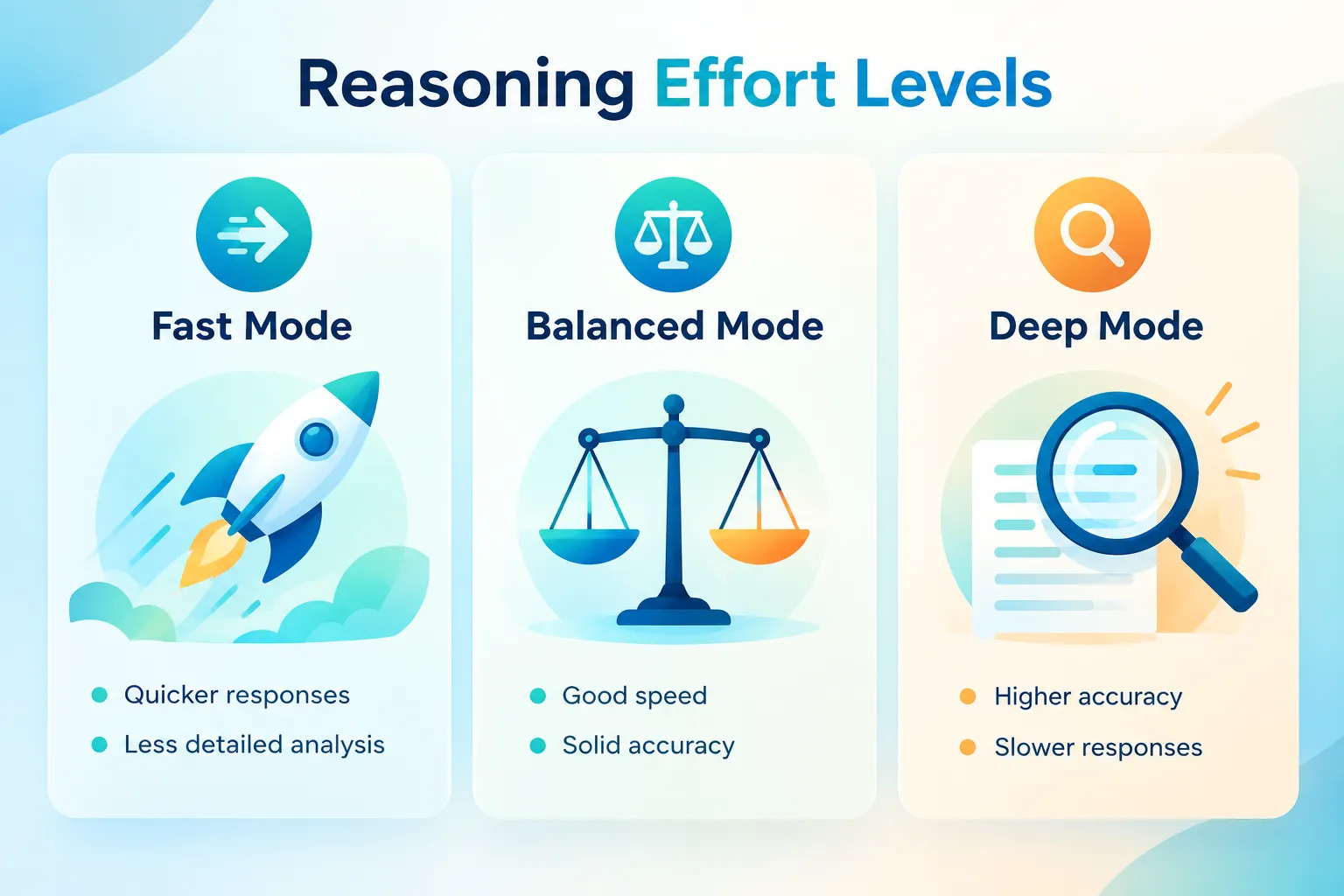
One practical feature worth understanding is the reasoning-effort setting. Developers and, in some interfaces, end users can choose how much computational effort the model spends per task:
| Setting | Best for | Tradeoff |
|---|---|---|
| Low effort | Simple, repetitive tasks (data entry, basic lookups) | Faster and cheaper, but more likely to miss edge cases |
| Medium effort | Everyday office tasks (document review, form filling) | Balanced speed and accuracy |
| High effort | Complex, multi-step reasoning (cross-referencing documents, planning) | Slower and more expensive, but more thorough |
This matters for everyday work because not every task needs the model’s full reasoning power. A quick lookup task doesn’t need the same effort as reconciling a spreadsheet against a contract. Choosing the right setting is one of the practical tradeoffs that determines both your experience and your bill, especially for API users paying per token or per request.
Multimodal Input and Output in Practice
GPT-6.1 Terra accepts a mix of inputs, text, images, screenshots, and in some configurations, audio, and can respond with text, generated images, or direct on-screen actions. For daily work, this flexibility shows up in tasks like:
- Uploading a photo of a whiteboard sketch and getting it converted into a formatted document
- Asking the model to review a slide deck’s visual design and suggest layout fixes
- Having it monitor a dashboard screenshot and flag anomalies in the data
If your work involves pulling information out of long reports or research documents, this model’s visual reasoning pairs well with existing summarization workflows. Our guide on how to summarize long documents with AI without losing key details covers techniques that remain relevant even as the underlying models change.
Pricing and Efficiency Compared to Predecessors
OpenAI has positioned Terra as more efficient per task than some of its larger predecessor models, meaning it can complete comparable work at a lower computational cost in many cases. This is a common pattern in model releases: newer, more specialized models often outperform older, larger ones on specific task types while costing less to run.
That said, specific pricing, whether per-token API costs or plan-tier access in ChatGPT, changes frequently and was last verified in October 2026 research. Before committing budget to a workflow built around Terra, check OpenAI’s current pricing documentation directly, since published rates can shift with little notice.
Use Cases Emphasized by OpenAI and Partners
OpenAI and its enterprise partners have highlighted several use cases for this release:
- Back-office automation: processing invoices, reconciling spreadsheets, and extracting data from scanned documents
- Customer support tooling: navigating internal CRM systems to pull account information
- Design and QA review: comparing visual mockups against shipped product screens
- Accessibility support: helping users who have difficulty operating complex interfaces by having the model complete multi-step actions on their behalf
These are the scenarios vendors tend to showcase, which is useful context but not a substitute for testing the model against your own specific workflow before depending on it for anything business-critical.
Expert Commentary and Outlook
Industry analysts covering this release have generally framed computer-control models as a meaningful step toward broader AI agents, software that can complete goals across multiple applications rather than answering isolated questions. For background on how this fits into the agent trend more broadly, see our explainer on what an AI agent is and how it differs from a chatbot.
Some commentary is speculative and should be labeled as such: analysts expect further reductions in error rates for multi-step computer tasks over the next several model generations, and some expect broader enterprise adoption as reliability improves. These are forward-looking opinions, not confirmed roadmaps, and should be treated with appropriate skepticism.
Limitations Worth Knowing Before You Rely on It
No model in this category is reliable enough yet to run unsupervised on tasks with financial, legal, or safety consequences. Common failure points include:
- Misreading ambiguous or low-resolution screenshots
- Getting stuck in loops when an interface behaves unexpectedly
- Taking an action that technically completes a step but doesn’t match the user’s actual intent
- Struggling with interfaces that change frequently or use nonstandard layouts
If you’re building a workflow around this kind of tool, keep a human in the loop for anything that touches money, legal documents, or customer-facing communication. For a broader look at how AI models can produce confidently wrong output, our piece on AI hallucinations and how to catch them is directly relevant here, since visual misreads function similarly to text hallucinations.
How GPT-6.1 Terra Compares to Other AI Assistants
If you’re trying to decide whether this model fits your workflow better than alternatives, the right comparison depends on what you actually need, visual and computer-control tasks, versus general writing or research assistance. Our clear comparison of ChatGPT, Claude, and Gemini breaks down practical tradeoffs across these assistants for everyday work, which is a useful reference point even as specific models within each family continue to update.
Frequently Asked Questions
Is GPT-6.1 Terra available to regular ChatGPT users or only developers? Based on researched information as of October 2026, access is rolling out to ChatGPT subscribers on certain plan tiers, alongside developer access through the API. Exact tier requirements change, so check OpenAI’s current plan page before assuming access.
Can GPT-6.1 Terra control any application on my computer? It is designed to interact with visible screen content and common interface elements, but reliability varies by application. Nonstandard or highly custom interfaces may cause errors.
Does higher reasoning effort always mean better results? Generally yes for complex tasks, but it also costs more and takes longer. For simple repetitive tasks, lower effort settings are often accurate enough and more cost-efficient.
How does this compare to older computer-use AI models? OpenAI reports speed and accuracy improvements on benchmarks like MMMU-Pro and Agents’ Last Exam compared to earlier models, though these are vendor-reported figures, not independent hands-on testing by Tech Clearly.
Is it safe to let the model complete tasks without supervision? Not for anything involving money, legal consequences, or sensitive data. Treat it as an assistant that drafts actions for review, not an autonomous operator, until reliability is independently confirmed over time.
Conclusion
GPT-6.1 Terra: Visual Reasoning and Computer Control for Daily Work represents a real step forward in combining what AI can see with what it can do on a screen. For professionals and small-business users, the practical value shows up in tasks like document extraction, form automation, and interface navigation, work that used to require either manual effort or custom-built automation scripts.
The sensible next step is to test it on a low-stakes task first: a form you fill out regularly, a document you extract data from weekly. Watch where it gets stuck, and keep a human checkpoint on anything with real consequences. For more on comparing AI tools and tracking what changes next, browse our Practical AI and AI Tools & Plans sections, and check back as plan details, pricing, and availability continue to shift through late 2026.
Meta Title: GPT-6.1 Terra: Visual Reasoning and Computer Control Explained
Meta Description: GPT-6.1 Terra brings visual reasoning and computer control to daily work. See what it does, where it’s available, and its real limitations in 2026.
Tags: GPT-6.1 Terra, visual reasoning AI, computer control AI, OpenAI models, AI agents, multimodal AI, ChatGPT updates, AI automation, enterprise AI tools, AI benchmarks, practical AI, AI productivity
Contributing writer at Tech Clearly.