

ChatGPT vs Claude vs Gemini: Which AI Is Best for Writing?
A model ranked first out of 414 AI systems on a public creative-writing leaderboard in October 2026 is not the same model most people reach for when they open a chat window to draft an email. That gap between what tests measure and what people actually use is the real story behind ChatGPT vs Claude vs Gemini: Which AI Is Best for Writing?
This is not a question with one correct answer. The best writing tool depends on what you are writing, how long it is, whether you need images alongside text, and whether your work already lives inside Google Docs or another workspace. This article breaks down what actually matters, based on researched information about current model performance, context limits, and real product features, so you can match the right tool to the job in front of you.
Key Takeaways
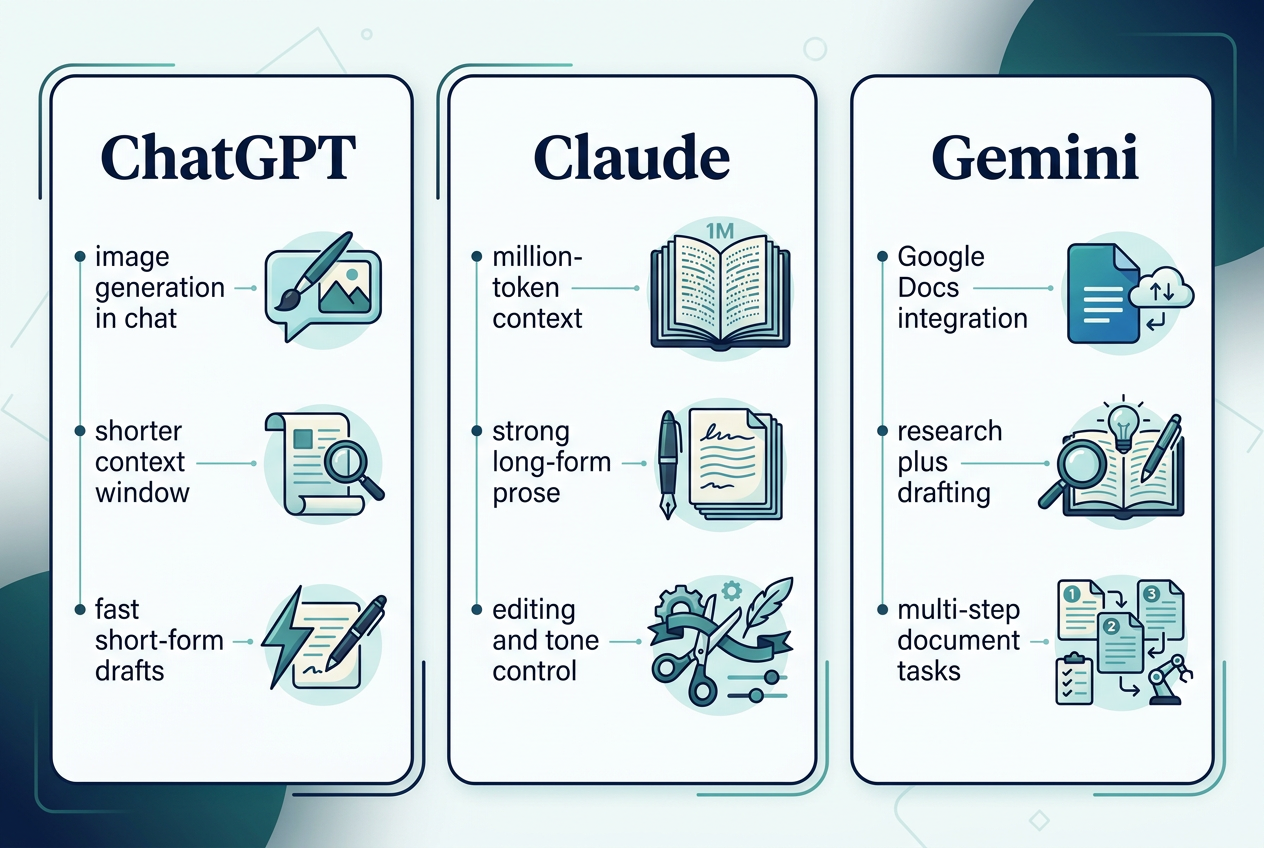
- Claude Opus 5.5 currently leads public creative-writing rankings and handles long, structured documents better thanks to a context window around 1 million tokens, versus roughly 256,000 tokens for ChatGPT’s Plus reasoning models.
- ChatGPT remains the stronger pick for short marketing copy that needs an image generated in the same conversation, since Claude does not generate images.
- Gemini is built into Google Workspace, making it the most convenient option for anyone drafting, polishing, or summarizing directly inside Docs.
- ChatGPT usage data shows writing tasks have declined as a share of overall use, from about 34% in mid-2024 to roughly 21% by September 2026, while research-style questions have grown.
- No single AI is a universal winner for writing. The right choice depends on document length, whether you need visuals, and whether you want a standalone tool or one embedded in existing software.
ChatGPT vs Claude vs Gemini: Which AI Is Best for Writing?, What the Leaderboards Show
Public benchmark data gives a useful, if incomplete, starting point. On the Arena creative-writing leaderboard published October 15, 2026, Claude Opus 5.5 ranked first out of 414 models, with GPT-6 Sol, the model behind current ChatGPT, sitting 61st, roughly 81 points behind in voter preference. That is a meaningful gap in head-to-head human judging of creative prose.
EQ-Bench’s Longform test, which specifically evaluates longer writing samples, tells a similar story: Claude Opus 5.5 scored 84.6 versus 82.8 for GPT-6 Sol. But the picture is not one-sided. In EQ-Bench’s short-story tests, judged by Claude’s own evaluation model, GPT-6 Sol narrowly edged out Opus 5.5, even though Arena voters still preferred Claude’s writing overall.
What this means in practice: Claude currently has a measurable edge for longer, more structured writing, while ChatGPT holds up competitively, sometimes even better by some automated measures, on shorter creative pieces. Treat any single leaderboard as one data point, not a final verdict. For a broader look at how these three tools compare across work styles beyond writing, see our clear comparison of ChatGPT, Claude, and Gemini for different work styles.
Where Claude Pulls Ahead for Serious Writing Projects
Claude’s biggest practical advantage is not a style preference, it is capacity. With a context window around 1 million tokens compared with about 256,000 tokens on ChatGPT’s Plus reasoning models, Claude can hold a book-length manuscript, a long research report, or a multi-chapter draft in working memory at once. That matters for anyone revising a novel, editing a long client deliverable, or maintaining consistent voice and continuity across dozens of pages.
Based on researched task comparisons, Claude is generally favored for:
- Long fiction and book-length projects
- Substantive editing and developmental feedback
- Working with very long source documents
- Writing in languages other than English
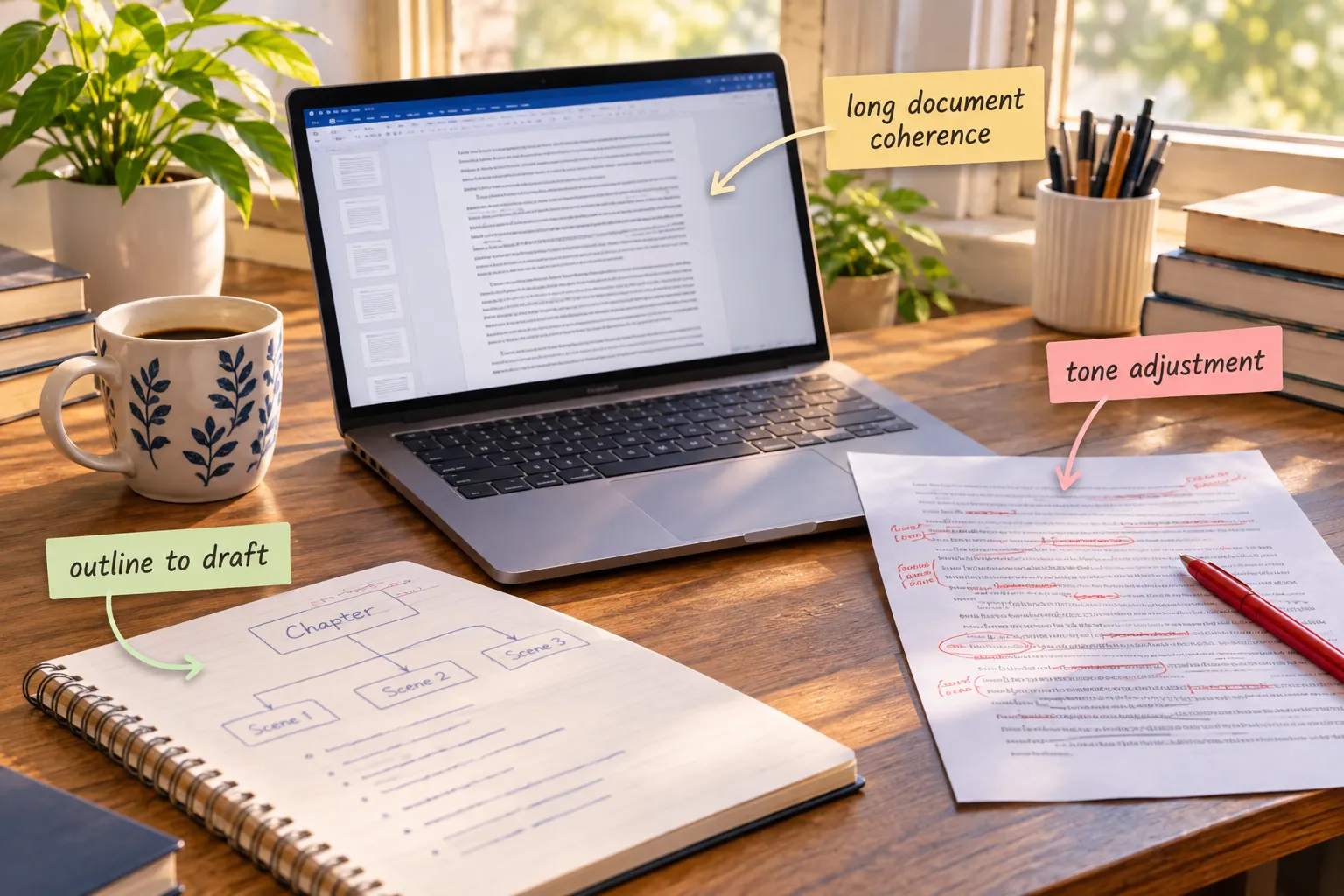
Claude’s own documentation describes it as a general-purpose writing assistant built for exactly these kinds of iterative workflows: draft a 500-word article, then shorten it, lengthen it, tighten the introduction, simplify the language, add headings, or shift the tone. That back-and-forth editing loop is where Claude tends to feel most capable, according to available research.
The tradeoff: Claude does not generate images. If your writing project needs an accompanying graphic, product mockup, or ad visual produced in the same conversation, you will need a separate tool.
Where ChatGPT Still Wins for Everyday and Visual Writing Tasks
ChatGPT’s advantage shows up in a different place: convenience for shorter, mixed-media work. If you are writing short marketing copy and need an image to go with it, a social post, a product ad, a flyer headline, ChatGPT can produce the text and the image in the same chat. Claude cannot do this on its own, which makes ChatGPT the more efficient choice for quick, visual-plus-text tasks.
It is also worth being honest about what usage data shows. OpenAI’s own internal signals indicate that writing has become a smaller share of what people actually do in ChatGPT. Writing-related messages dropped from 34.1% of consumer traffic in July 2024 to 21.4% by September 2026, while information-seeking questions rose from 16.7% to 20.2% over the same period, and by August 2026 the two categories were nearly tied. That shift suggests people increasingly treat ChatGPT as a research and question-answering tool first, writing tool second, even though writing remains a core use case.
There is also a limitation worth flagging clearly: some advanced users reported a perceived decline in ChatGPT’s higher-end creative-writing performance in late October 2026, specifically around narrative reasoning, picking up on author-specific style, responding to editorial feedback, and following detailed writing instructions between October 26 and 28, 2026. This is anecdotal, not a confirmed benchmark finding, but it reflects a real concern for professionals doing serious creative work: model behavior can shift between updates, and what worked well last month may need re-testing this month. If you rely on ChatGPT for long-form creative writing, it is worth periodically re-checking output quality rather than assuming consistency. For background on how these models can produce confident but incorrect or inconsistent output, see our explainer on why AI makes things up and how to catch it.
If you are deciding whether ChatGPT’s paid tier is worth it for writing-heavy work, our breakdown of ChatGPT Plus versus the free plan covers what changes between tiers.
Gemini: The Writing Assistant Built Into Your Existing Workflow
Gemini takes a different approach entirely. Google positions it as a research and writing assistant woven directly into Workspace, Docs, Gmail, Slides, rather than a standalone chat tool you visit separately. Features like “Help me create” can research a topic, draft copy, rephrase and polish existing text, summarize long documents, and generate full drafts without leaving the document you are already working in.
This matters most for people whose writing work already lives in Google’s ecosystem. If you draft reports, proposals, or internal documentation inside Docs, Gemini removes the step of copying text back and forth between a chat window and your document. Google’s enterprise materials also emphasize security and privacy controls, which is relevant if you work for an organization with compliance requirements around where drafts and company data get processed.
Gemini’s broader direction, reflected in Google’s “Gemini at Work” guidance and the Gemini 4 Argon model, leans toward multi-step task completion, taking a high-level goal and producing a finished report or deck, coordinating smaller sub-tasks along the way. That makes Gemini a strong fit when writing is one piece of a larger workflow (research, draft, format, share) rather than an isolated creative exercise.
Google has also pushed Gemini into lighter-weight, everyday tools. A browser extension updated October 30, 2026 adds a side panel for improving, rewriting, summarizing, and restructuring selected text anywhere in Chrome. And multimodal features tied to Gemini 3.6 and Gemini Omni, including image tools like Nano Banana 2, let you pair visual content, mockups, posters, diagrams, with written drafts in one place. If your writing regularly needs visual support beyond a single generated image, Gemini’s multimodal range is worth testing directly.
For readers who want a broader sense of how AI agents handle multi-step work beyond writing, our plain-English explainer on what an AI agent actually is is a useful next read.
ChatGPT vs Claude vs Gemini: Which AI Is Best for Writing? by Task
Rather than picking one universal winner, match the tool to the task. Here is a practical breakdown based on researched capabilities as of this writing:
| Writing Task | Better Fit | Why |
|---|---|---|
| Book-length manuscripts or long reports | Claude | Roughly 1 million token context window keeps the whole document in view |
| Short marketing copy with an image | ChatGPT | Generates text and image together in one chat |
| Drafting and editing inside Google Docs | Gemini | Built directly into Workspace with “Help me create” |
| Developmental editing and tone revision | Claude | Explicitly supports iterative draft-and-refine workflows |
| Research-heavy writing projects | Gemini or ChatGPT | Both handle research-plus-draft tasks; Gemini ties more tightly to Google search and Docs |
| Multi-step document workflows (draft, format, summarize) | Gemini | Oriented toward multi-step task completion, not single prompts |
| Writing in non-English languages | Claude | Noted as a relative strength in task comparisons |
Pricing, plan limits, and context window sizes change often across all three companies. Treat the figures above as last verified in October 2026 and double-check current plan details before committing to a paid tier. For a running comparison of these tools across broader use cases, our AI comparisons category tracks updates as they happen.
Practical Guidance for Choosing Between the Three
Here is a step-by-step way to decide, rather than guessing:
- Identify your document length. Under a few thousand words, any of the three will likely work. Past that, Claude’s larger context window becomes a real advantage.
- Decide if you need visuals in the same workflow. If yes, lean toward ChatGPT or Gemini’s multimodal features. Claude will require a separate image tool.
- Check where your writing already lives. If it is in Google Docs, Gemini removes friction. If you are working in a standalone chat habit, ChatGPT or Claude both work independently.
- Test the actual output on your real content. Benchmarks describe averages across many writers and topics, they do not guarantee results for your specific voice, subject, or industry.
- Re-check periodically. Model behavior shifts with updates. What performed well last quarter may need re-evaluation after a new release.
This guidance reflects researched information about current product design and public benchmark data, not hands-on testing of every workflow described here. Your results may vary depending on your specific prompts, document type, and account plan.
Frequently Asked Questions
Is Claude really better than ChatGPT for writing? For longer, structured writing and editing, researched benchmark data and task comparisons currently favor Claude, largely due to its larger context window. For short creative pieces and tasks needing an image alongside text, ChatGPT remains competitive or preferable.
Which AI is best for long documents like books or reports? Claude, based on its roughly 1 million token context window compared with about 256,000 tokens for ChatGPT’s Plus reasoning models. This lets it track plot, structure, and tone across very long documents more reliably.
Can Gemini generate images along with written content? Yes. Gemini’s multimodal features, including tools tied to Gemini 3.6 and Nano Banana 2, support generating and editing images alongside text, which is useful for posters, mockups, and visually paired content.
Does ChatGPT still handle writing tasks well? Yes, though usage data suggests writing has become a smaller share of what people use ChatGPT for overall, with research and information-seeking questions growing. Some advanced users have also reported inconsistent creative-writing performance after recent updates, so it is worth testing current output on your own work.
Is one of these three tools a universal best choice for writing? No. Each has different tradeoffs: Claude for long-form depth, ChatGPT for short mixed-media tasks, Gemini for integration with existing Google workflows. The right pick depends on your document length, format needs, and where you already work.
How current is this comparison? This article reflects researched information and public benchmark data last verified in October 2026. Model capabilities, context limits, and plan details change frequently, so confirm current specifics before making a long-term workflow decision.
Conclusion
There is no single correct answer to ChatGPT vs Claude vs Gemini: Which AI Is Best for Writing? because “best” depends entirely on what you are producing. Claude currently leads on long-form, structured writing thanks to its larger context window and strong editing workflows. ChatGPT remains a practical choice for short, visually paired content and everyday drafting. Gemini fits naturally into Google Workspace for anyone who wants writing help without leaving their document.
The most useful next step is not picking one tool permanently, it is matching the tool to the task in front of you, and re-testing occasionally as these models continue to change. For more practical comparisons and step-by-step guidance on using AI tools for everyday work, browse the AI Tools and Plans category or explore the full Tech Clearly blog for ongoing updates.
Meta Title: ChatGPT vs Claude vs Gemini: Which AI Is Best for Writing?
Meta Description: A clear comparison of ChatGPT, Claude, and Gemini for writing in 2026, covering context limits, benchmarks, and which tool fits which task.
ChatGPT, Claude, Gemini, AI writing tools, AI comparison, creative writing AI, content writing software, Google Workspace AI, long-form writing, AI benchmarks, AI for freelancers, writing assistant
Contributing writer at Tech Clearly.